
Photo documentation captures images. Proof of work connects photos to steps, timestamps, notes, exceptions, signoff, and closeout context.
Photo documentation captures images. Proof of work connects those images to workflow steps, timestamps, notes, exceptions, signoff, and closeout context so the job can be reviewed.
In field service, photos are often necessary but not sufficient. A reviewer still needs to know what the photo shows, why it was captured, what step it supports, who captured it, when it was captured, what remains open, and what action should happen next. That context is what turns a camera roll into a review-ready record.
What photo documentation does well
Photo documentation is valuable. It gives field teams a way to capture visual evidence that words alone cannot explain. A photo can show existing condition, completed work, damage, access constraints, asset identity, part condition, repair evidence, or a customer handoff detail. For simple jobs, a photo may be all the organization needs.
Photo documentation is especially useful when the team needs a quick visual reference, when the work is low-risk, when the reviewer already has enough context, or when the photo is not being used to make a closeout decision. The problem starts when the photo becomes the only record for a workflow that needs review.
Fast visual capture
Photos are easy for technicians to capture and helpful for showing a condition or completed work.
Useful reference record
A photo can reduce ambiguity when paired with a work order, customer, asset, or site note.
Good starting point
Many proof-of-work programs begin by improving photo capture before adding structured workflow context.
Where photo documentation breaks down
Photo documentation breaks down when the photo needs to carry more meaning than it can support by itself. Reviewers may see the image but not know which step it belongs to. They may know the job but not know whether required proof was captured. They may see an after photo but not understand the before condition, technician rationale, exception, or customer handoff.
The result is familiar: supervisors ask follow-up questions, technicians reconstruct the job from memory, customers ask what was done, warranty reviewers ask for missing evidence, and operations cannot tell whether the workflow itself is working.
- Photos are uploaded after the job rather than prompted during the work.
- Images are not tied to a required workflow step.
- Before and after photos are not paired with repair action or condition notes.
- Reviewers cannot tell whether required photos are missing.
- Exceptions and unresolved items are buried in freeform notes.
- Customer, warranty, or supervisor review requires manual reconstruction.
What proof of work adds
Proof of work adds structure. It connects photos to workflow steps, timestamps, technician notes, readings, measurements, exception paths, signoff, and reviewer status. Instead of asking "Do we have photos?" the team can ask "Do we have the required evidence for the step and the reviewer?"
The image shows field condition, but not necessarily why it matters.
The image is tied to the required workflow step, asset, timestamp, and note.
The reviewer sees what happened, what is missing, and what action is expected.
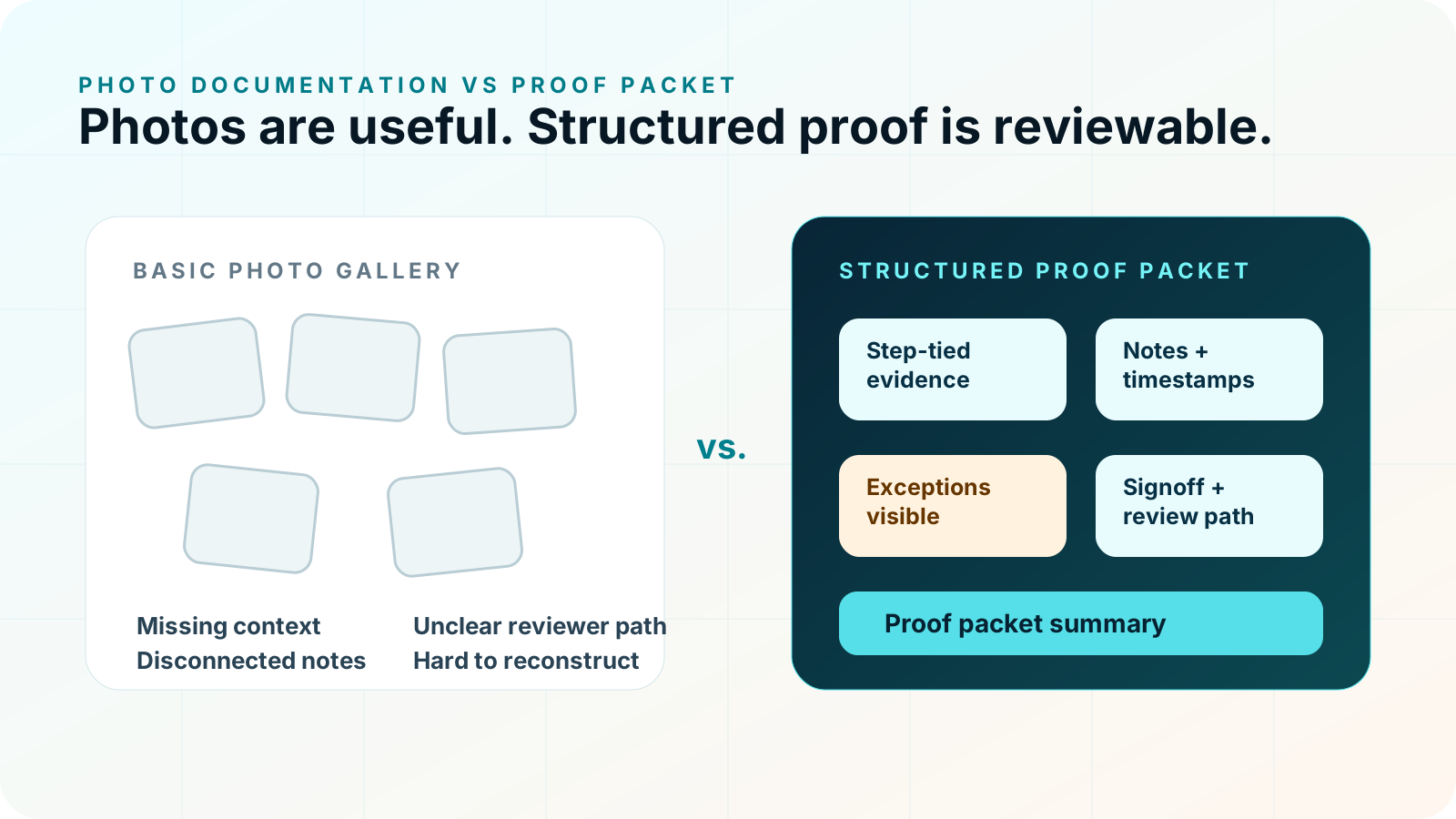
Photo gallery vs. step-tied proof packet
| Dimension | Photo gallery | Step-tied proof packet |
|---|---|---|
| Primary question | What images were captured? | What happened, what proof supports it, and what remains open? |
| Organization | Usually by upload time, job, or album. | By workflow step, proof requirement, exception, and closeout status. |
| Reviewer effort | Reviewer interprets images and asks for context. | Reviewer sees photos, notes, timestamps, and status together. |
| Missing proof | May not be obvious unless someone knows what should exist. | Required proof can be shown as captured, missing, or exception-handled. |
| Closeout | Often separate from the photo record. | Closeout summary is built from the proof record. |
| Best use | Simple visual reference. | Supervisor, customer, warranty, quality, or operations review. |
When photo documentation is enough
Photo documentation may be enough when the work is simple, the stakes are low, the reviewer already has enough context, and no one needs to confirm required steps, exceptions, signoff, or closeout status. If the photo is only a reference, a basic upload can work.
For example, a technician might capture a general site reference photo or a simple completion image that is not tied to a warranty decision, customer dispute, supervisor review, or operational metric. In that case, a lightweight photo record may be appropriate.
When proof of work is needed
Proof of work becomes more important when photos are used to make or support a decision. The decision may be whether a job can close, whether a warranty record has enough supporting evidence, whether a customer handoff is complete, whether a subcontractor completed the required steps, whether an exception needs follow-up, or whether a repeat issue should be escalated.
Proof of work shows required steps, evidence, notes, and exceptions in one record.
A proof packet can show completed work, visible evidence, and unresolved items in a customer-ready format.
Before/after evidence, technician rationale, repair action, and exception status can be organized for review.
Step-level proof makes it easier to see whether missing evidence comes from workflow design or field execution.
How proof packets connect photos, steps, notes, exceptions, and signoff
A proof packet is the structured output of proof of work. It can include photos, but it is not a photo album. The packet should connect job context, workflow steps, evidence, timestamps, notes, exceptions, signoff, and closeout summary.
- 1Step
The workflow identifies what the technician or crew is doing.
- 2Prompt
The proof requirement is surfaced during the job.
- 3Capture
The technician captures photo, reading, note, timestamp, or signoff.
- 4Flag
Missing proof, blocked access, or unresolved condition becomes visible.
- 5Packet
The evidence becomes a closeout record for review.
How to turn photos into review-ready proof
If your team already captures photos, the next step is not necessarily more photos. It is better context. Start by identifying which photos reviewers ask for most often and which missing photos cause the most friction. Then map those photos to workflow steps.
- Name the workflow where photo review breaks down.
- List the photos that are required for closeout or review.
- Attach each photo requirement to a workflow step.
- Define what note, reading, timestamp, or signoff belongs with the photo.
- Define what happens if the photo cannot be captured.
- Decide what the proof packet should show at closeout.
A practical migration path from photo capture to proof of work
Teams do not need to replace every documentation habit at once. A practical migration starts by improving the highest-friction workflow. Review a handful of recent jobs and ask where the photos failed to answer the reviewer question. Did the supervisor need a before photo? Did the warranty team need a technician rationale? Did the customer need a closeout summary? Did operations need to know whether the same exception keeps recurring?
Once those gaps are visible, turn them into proof requirements. The requirement should be specific: "capture after-repair photo before closeout" is stronger than "add photos." "Flag unresolved condition before supervisor review" is stronger than "write notes." The goal is to make the field prompt clear enough for the technician and the output clear enough for the reviewer.
Look for missing context, repeated follow-up questions, and jobs that were hard to explain after closeout.
Define the required photo, note, timestamp, exception, or signoff for each review-critical step.
Use one workflow to learn whether step-tied proof improves review quality before expanding.
What not to do when upgrading photo documentation
Do not solve a review problem by asking technicians to capture more media without a clear reason. More photos can make review slower if they are not tied to steps. Do not hide exceptions behind a completed status. Do not use approval language the record does not support. Do not assume the same photo requirements fit every workflow. The upgrade from photo documentation to proof of work should make the record more reviewable, not heavier.
Workflow examples
PM closeout
A nameplate photo is stronger when tied to asset context, inspection step, reading, exception status, and closeout summary.
HVAC proof packetsRepair proof
Before and after photos need repair action, failed part or issue note, technician rationale, and warranty review path.
Warranty repairStorm documentation
Damage photos need exterior area context, measurement or material notes, scope context, and customer-ready summary.
Storm documentationInspection record
Site photos become more useful when tied to recurring checks, contractor verification, exceptions, and operations review.
Facilities inspectionIf photos need review context, move from photo documentation to proof of work.
Start with proof-of-work software if the problem is review-ready evidence. Use photo documentation software when the first gap is image capture and field context.
How CoSkip helps
CoSkip helps teams guide repeatable field workflows, prompt required proof, capture exceptions, and assemble review-ready proof packets depending on pilot scope. It can help move teams from disconnected photo uploads to step-tied evidence that supports supervisor, customer, warranty, and operations review.
CoSkip does not replace the photo capture system, field service platform, technician judgment, supervisor review, safety procedure, warranty term, or legal review. It helps structure the field workflow so the right proof is captured while work happens.
Proof of work vs. photo documentation FAQs
Is proof of work just photo documentation?
No. Photo documentation captures images. Proof of work connects those images to the workflow step, job context, timestamp, technician note, exception status, signoff, and reviewer path.
What is photo proof of condition?
Photo proof of condition is a before, during, or after image that shows the state of an asset, area, repair, or installation. It becomes stronger when it is tied to the step and reason it was captured.
When is photo documentation enough?
Photo documentation may be enough when the image is only a reference and the reviewer already has the job context, step status, exception status, and closeout ownership they need.
When is proof of work needed?
Proof of work is needed when photos or notes support supervisor review, customer handoff, warranty documentation, quality review, contractor verification, or closeout decisions.
What should a proof packet add to photos?
A proof packet should add job context, completed workflow steps, required proof status, timestamps, technician notes, exceptions, signoff where configured, and closeout summary.
How should teams move from photos to proof of work?
Start with one repeatable workflow, define the proof each reviewer needs, attach proof requirements to specific steps, and decide how exceptions and missing proof should be handled.
Can photo documentation become a proof packet?
Yes. Photos can become part of a proof packet when they are organized with job context, workflow steps, timestamps, notes, exceptions, signoff, and closeout status.
Does proof of work replace supervisor review?
No. Proof of work supports supervisor review by making the evidence clearer and easier to inspect.
