Set context for reviewers
- Workflow name
- Job type
- Site, customer, or asset context
- Date and time
- Technician or team
- Reviewer
Use this template to organize field evidence into a review-ready packet for supervisors, customers, warranty teams, and internal stakeholders.
A proof packet should show what happened on the job, which steps were completed, what proof was captured, what exceptions remain, who signed off, and what reviewers need after the work is done.
A proof packet is a structured closeout record showing what happened on a field job, what steps were completed, what proof was captured, what exceptions remain, who signed off, and what reviewers need after the work is done.
Use the template when a workflow needs clearer evidence for supervisor review, customer handoff, warranty review, audit preparation, or system-of-record handoff.
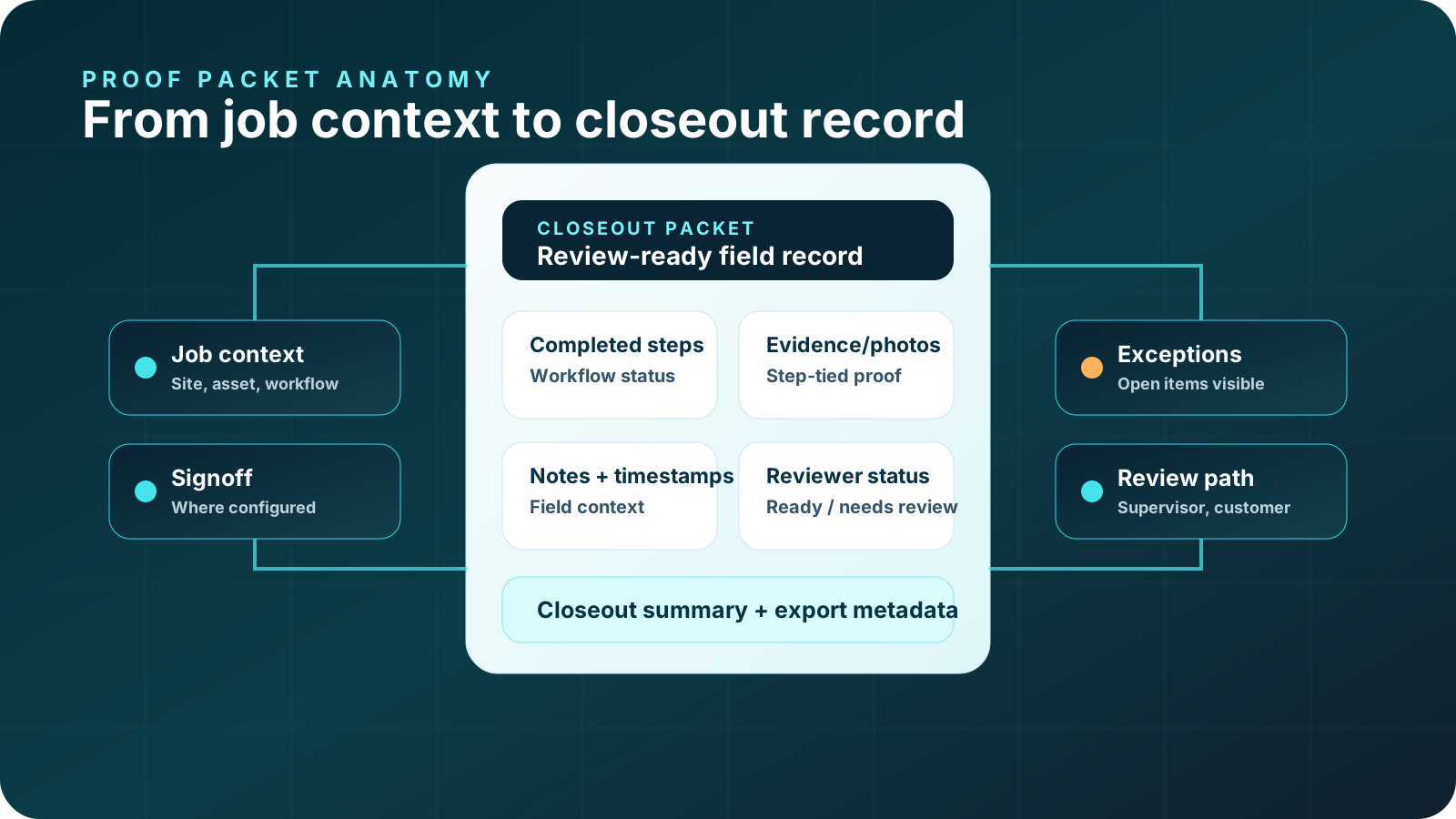
Print this structure or use it as an on-page planning template. It is not a fake PDF download and does not replace your required systems, warranty terms, technician judgment, or supervisor review.
Package inspection steps, required proof, exceptions, and closeout summary.
Explore HVAC PM closeout →Organize before/after evidence, parts notes, service steps, and signoff.
Explore HVAC warranty →Package diagnostics, repair proof, customer handoff, and review status.
Explore plumbing closeout →Organize inspection evidence, notes, approvals, and closeout proof.
Explore camera inspection proof →Support review of safety check documentation without replacing required procedures.
Explore safety check documentation →Organize exterior evidence, inspection notes, exceptions, and customer-ready closeout.
Explore roofing inspection documentation →Package inspection evidence, exceptions, and review-ready facilities records.
Explore facilities inspection documentation →Organize field documentation, asset context, notes, exceptions, and review status.
Explore utility asset documentation →CoSkip can help guide the workflow, prompt required proof, capture notes and exceptions, and assemble a review-ready proof packet depending on pilot configuration.
CoSkip does not replace your FSM, CMMS, warranty system, legal review, safety procedures, or supervisor review. It helps make the evidence easier to capture and review around those workflows.
Proof-of-work software, photo documentation, close-out software, warranty proof, and warranty claim documentation.
Resources, interactive demo, readiness, ROI calculator, pilot program, trust, and integrations.
HVAC, HVAC proof, warranty repair, plumbing proof, electrical proof, facilities proof, and utility contractor verification.
A proof packet template is a structured outline for organizing field job steps, photos, timestamps, notes, exceptions, signoff, reviewer status, and closeout summary into one review-ready record.
A proof packet should include job context, completed workflow steps, required proof, before-and-after evidence, technician notes, exception details, signoff, review status, and closeout summary.
Photo documentation captures images. A proof packet organizes photos with step context, timestamps, notes, exceptions, signoff, and reviewer information so the job is easier to review.
Depending on workflow scope, proof packets can support supervisor review, customer closeout, warranty or admin review, audit preparation, and system-of-record handoff.
Yes. A proof packet can organize warranty-related evidence, but it does not guarantee warranty approval or replace warranty terms, manufacturer requirements, legal review, or supervisor review.
Yes. A proof packet can help summarize completed work, captured evidence, signoff, and open items for customer-ready closeout where appropriate.
No. CoSkip supports guided work, proof capture, and proof packets around existing FSM, CMMS, CRM, warranty, and work order systems.
CoSkip can help guide workflow steps, prompt required proof, capture exceptions, and assemble review-ready proof packets depending on pilot configuration.
Start with a repeatable workflow where reviewers routinely need photos, notes, timestamps, exceptions, signoff, or warranty evidence after the job.
Review the sample packet, then use the template to define the record your workflow should produce.