Warranty repair workflow
Guides the field work that produces the evidence.
Explore warranty repair documentation →CoSkip helps field-service teams organize job context, before-and-after evidence, service or repair steps, parts notes, technician observations, timestamps, exceptions, configured confirmation, and reviewer context into a review-ready warranty record.
Documentation support, not claim adjudication. CoSkip helps organize the field documentation used in warranty review. It does not determine warranty eligibility, interpret warranty terms, adjudicate claims, or guarantee approval.
Warranty claim documentation software helps field-service teams organize evidence, service or repair context, parts notes, exceptions, confirmation, and reviewer summaries into a record that supports warranty review.
It serves technicians, supervisors, warranty reviewers, customer-service teams, and back-office owners who need to understand the field record without reconstructing the visit across messages, camera rolls, and disconnected systems.
A review package becomes useful when field context, evidence, exceptions, reviewer needs, and the next system remain connected.
Work order, site, asset, workflow, technician, and closeout record.
Before and after proof, readings, service steps, parts, timestamps, or confirmation.
What was observed, what work was performed, and which proof supports it.
Open items, limitations, owners, follow-up, and configured acknowledgment.
The evidence and status another person needs without chasing the field team.
A defined destination for the package, status, and supporting record.
Illustrative operating model. Exact requirements, owners, and handoff rules depend on the warranty workflow.
See how evidence becomes a proof packet →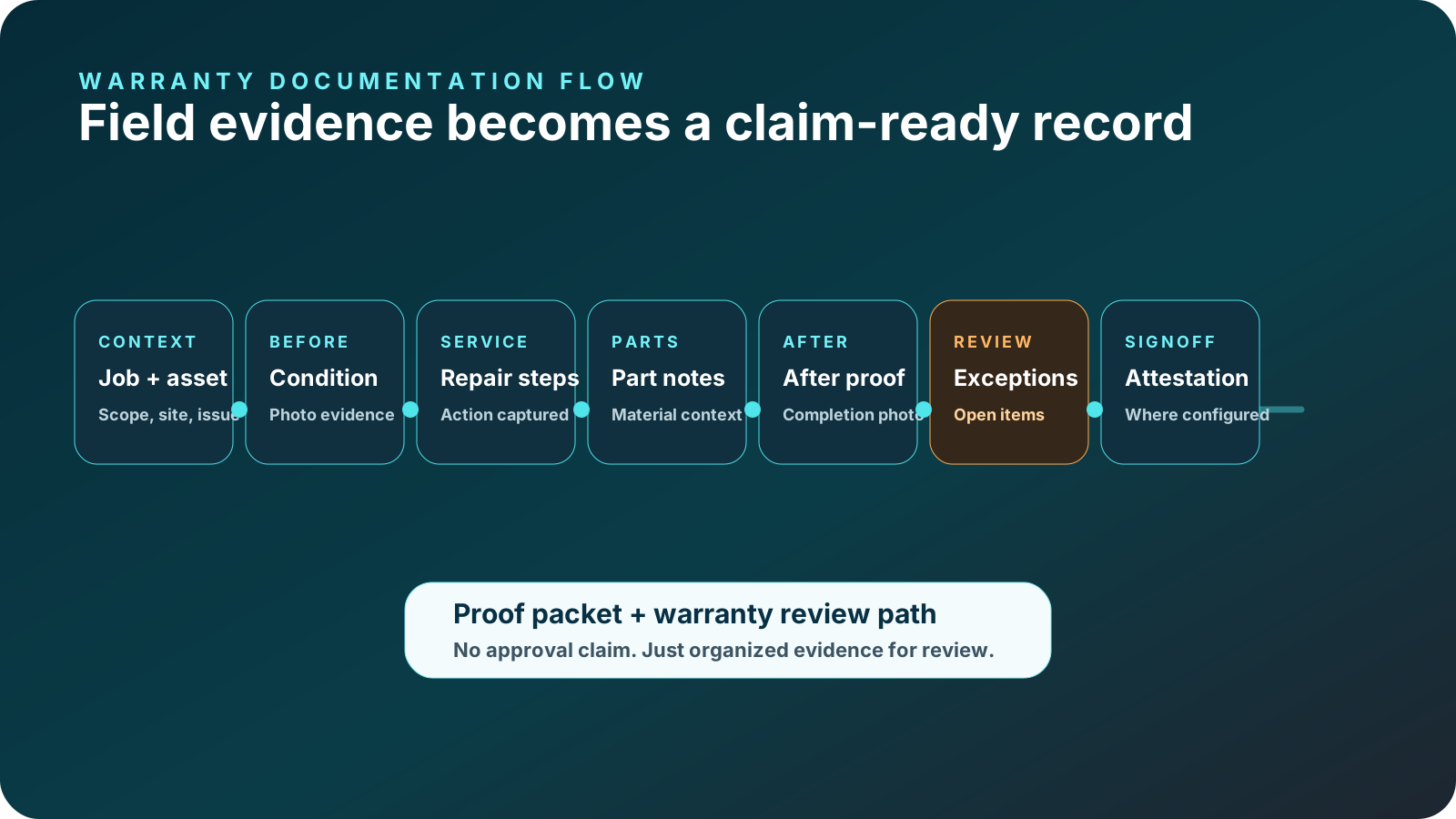
Guides the field work that produces the evidence.
Explore warranty repair documentation →Captures photos, service steps, parts notes, observations, timestamps, exceptions, and signoff. See how field photos retain step context.
Explore organized warranty proof →Builds the review package with context, evidence index, open-item status, reviewer summary, and handoff details.
Creates the reviewer-facing record format for field-service workflows beyond warranty work. See how closeout controls the final handoff.
Explore proof packet software →The problem is often not a total lack of evidence. It is missing timing, context, ownership, or a clear connection between the work and the proof.
Before or after evidence is missing, or proof is captured after field context is gone.
Repair actions, technician rationale, part identifiers, or material notes are disconnected from the evidence.
An issue is buried in free text, has no owner, or reaches review without a defined next action.
Configured acknowledgment, limitations, or final documentation status is unclear.
Evidence is scattered across systems, forcing an administrator or reviewer to reconstruct the record.
The gate is a documentation-quality check, not a warranty eligibility or approval decision.
Use the warranty claim documentation checklist for a deeper workflow review.
View the sample reviewer record →Every organization defines its own warranty requirements. This matrix shows how a field-service documentation package can preserve review context.
| Package section | Field source | Reviewer question | Missing-context risk | Owner |
|---|---|---|---|---|
| Claim or work summary | FSM or work-order context | Which workflow and asset does this relate to? | Wrong asset or unclear service context | Coordinator or manager |
| Before condition | Photo, note, reading, reported condition | What existed before service? | No baseline condition | Technician or supervisor |
| Service or repair record | Workflow steps, note, part or material record | What action was performed? | Evidence cannot be tied to the repair | Technician or technical reviewer |
| After condition | After photo, reading, result, closeout note | What changed after work? | Completion is unclear | Technician or manager |
| Exceptions | Exception note, evidence, owner, next action | What remains unresolved? | Open issue disappears from review | Exception owner |
| Confirmation | Configured technician, customer, supervisor, or site acknowledgment | What confirmation was captured? | Handoff or limitation is unclear | Configured workflow owner |
| Reviewer summary and export | Proof packet and status metadata | Is the package usable in the next system? | Administrative reconstruction | Warranty or back-office reviewer |
Teams define which gaps require correction, create an exception, permit conditional submission, or require supervisor, customer, or warranty follow-up.
CoSkip supports configured documentation controls. It does not autonomously approve or reject warranty claims.
Capture context once, at the step where it belongs, then preserve it for each reviewer and the next system.
See required proof and an exception path while the work context is still present.
Check evidence completeness, repair context, exceptions, and open-item ownership.
Review the evidence index, summary, status, and open items without reconstructing the visit.
Use a concise summary of completed work, limitations, and follow-up status.
Receive an export-ready record with package status and follow-up ownership.
Access and output should be scoped to what each role needs. Exact role permissions depend on configuration, systems, and security requirements.
Required items, source steps, exceptions, and technician context.
Work performed, open items, ownership, and handoff readiness.
Evidence index, reviewer summary, source context, and package status.
Destination, metadata, unresolved items, and next-action owner.
Start where evidence requirements repeat and a defined reviewer needs a structured field record.
Before condition, repair action, part context, after proof, exceptions, and configured confirmation.
Explore warranty repair workflows →Equipment context, readings, service steps, replaced-part notes, and closeout evidence.
Explore HVAC warranty documentation →Scope, field evidence, work performed, exceptions, reviewer ownership, and handoff status.
Starting condition, part or material record, service action, result, and follow-up context.
Prior context, current observations, corrective action, unresolved issues, and reviewer summary.
Look for configurable evidence requirements, step association, parts and observation capture, exception handling, missing-item controls, reviewer summaries, status, mobile usability, and export or integration planning.
Warranty platforms, entitlement systems, claim systems, FSMs, CMMSs, ERPs, CRMs, portals, and document repositories can continue to own terms, asset history, status, approval, payment, and the final record.
Integration, export, and system-of-record scope depends on the warranty workflow, current systems, security requirements, and pilot goals.
Review integration planning and review security considerations.
Choose a recurring repair, part replacement, contractor verification, warranty inspection, or HVAC warranty workflow with definable evidence requirements and a known reviewer.
Measure package completeness, evidence and part-note completeness, exception status, reviewer follow-up, reconstruction touches, handoff completeness, review duration where measurable, and technician adoption. Define the baseline before drawing conclusions.
Concise answers for teams evaluating field evidence, reviewer packages, and system handoff.
Warranty claim documentation software helps field-service teams organize job context, evidence, service or repair steps, parts notes, exceptions, confirmation, and reviewer context into a record that supports warranty review.
A package can include work-order and asset context, before-and-after evidence, service steps, parts or materials, technician observations, timestamps, exceptions, configured confirmation, reviewer summary, and handoff status.
Warranty proof of work is the evidence captured during the job. Warranty claim documentation organizes that evidence with work context, open-item status, reviewer summary, and handoff details into a review package.
A warranty repair workflow guides the field work that produces evidence. Warranty claim documentation focuses on organizing the resulting evidence and repair context for review and system handoff.
Yes. CoSkip can prompt for evidence at configured service steps and keep photos, readings, notes, and timestamps connected to the work that produced them.
Yes. A configured workflow can preserve parts or material notes, technician observations, exceptions, owners, and follow-up context alongside the supporting evidence.
Teams define whether a missing item prompts technician correction, creates an exception, requires an owner or supervisor review, or permits a conditional handoff. CoSkip does not approve or reject claims.
Yes. The package can make evidence and open items easier to review, but warranty eligibility, terms, adjudication, and approval remain with the responsible people and systems.
No. Warranty, FSM, CMMS, ERP, CRM, entitlement, and claim systems can remain systems of record. Integration and export scope depends on the workflow, current systems, security requirements, and pilot goals.
Start with one repeatable workflow that has known evidence requirements, a clear reviewer, a defined system destination, and recurring gaps in photos, parts notes, exceptions, confirmation, or package assembly.
See how before-and-after photos, service steps, parts notes, timestamps, exceptions, confirmation, and reviewer context can be organized into one clearer documentation package.