Fast capture, limited workflow context
- Images may need manual job matching
- Required shots depend on memory
- Notes and exceptions often live elsewhere
- Review usually starts after the visit
Field service photo documentation software helps teams capture required job images and preserve the workflow, asset, timestamp, note, exception, and reviewer context needed after the technician leaves.
CoSkip prompts for proof while the work is happening, keeps each photo connected to the step it supports, and organizes the completed evidence for manager review and closeout.
It helps technicians capture required job images while preserving the job, asset, location, workflow step, timestamp, note, reading, exception, and reviewer context another person will need later.
Operations teams, supervisors, warranty reviewers, and back-office teams use that context to understand what a photo proves without reconstructing the visit from a camera roll, message thread, and work-order attachment.
Each field photo becomes more useful when a reviewer can follow the evidence from the job requirement to the final record.
The service visit or record the evidence belongs to.
The equipment, area, or site shown in the image.
The inspection, repair, installation, or closeout task.
The exact before, after, condition, reading, or exception proof.
The note, reading, measurement, and capture time.
What remains unresolved and what should happen next.
Who reviews the evidence and where the record goes.
The right method depends on the workflow and existing systems. The practical difference is how much job context survives after the technician leaves. Capabilities vary by system and configuration.
These questions help buyers evaluate whether a photo system creates usable field evidence, not just image storage.
The inspection point, repair condition, completed work, reading, or exception should be clear.
The job, asset, location, and workflow step should remain identifiable.
The record should distinguish before, during, and after conditions.
A note, reading, measurement, or observation should provide the missing context.
The exception, missing requirement, or follow-up path should stay visible.
The manager, customer, warranty, audit, or back-office path should be known.
For deeper field standards, review what technicians should capture in photos and notes.
CoSkip helps teams define the evidence that matters, prompt technicians at the relevant step, and keep missing proof and exceptions visible before the record reaches a manager.
Choose the repeatable steps and required photo types.
Surface before, after, condition, reading, or exception proof when it is needed.
Keep the photo, note, reading, and timestamp connected.
Make missing proof and unresolved exceptions visible before closeout.
Organize the evidence for manager review and proof-packet output.
This illustrative matrix shows how a team can define the image, context, exception, and review owner for each stage of one field workflow.
| Workflow step | Required photo | Supporting context | Common exception | Reviewer |
|---|---|---|---|---|
| Asset identification | Nameplate or identifying condition | Job, location, asset ID | Wrong or unreadable asset | Dispatcher or supervisor |
| Before condition | Area before work begins | Timestamp and technician note | Existing damage or access issue | Supervisor |
| Inspection point | Configured condition or component | Reading or observation | Condition outside expected range | Operations or technical lead |
| Work completed | Repair, installation, or service result | Action and part or material note | Incomplete scope or follow-up | Supervisor |
| Reading or measurement | Instrument, gauge, or measured area | Value, unit, capture time | Unclear or out-of-range result | Technical reviewer |
| Exception condition | Unresolved issue or limitation | Rationale and proposed next step | Missing owner or disposition | Manager |
| Final closeout | After condition or completed area | Signoff and completion status | Required evidence still missing | Manager, customer, or warranty |
Start with repeatable work where reviewers need the same photo types, missing evidence creates follow-up, and exceptions need a visible owner.
These concepts work together, but they answer different operational questions. Keeping the distinction clear helps a buyer choose the right starting point.
Captures required images with the job, asset, step, time, note, and exception context that makes them useful.
This page owns the software question.Combines photos with readings, notes, timestamps, exceptions, signoff, and confirmation.
Explore Field Service Proof-of-Work Software →Helps complete the broader job record for manager review, handoff, billing, warranty, and final status.
Explore Field Service Close-Out Software →Organizes the completed evidence into a reviewer-facing record for customer, warranty, audit, or export use.
Explore Proof Packet Software →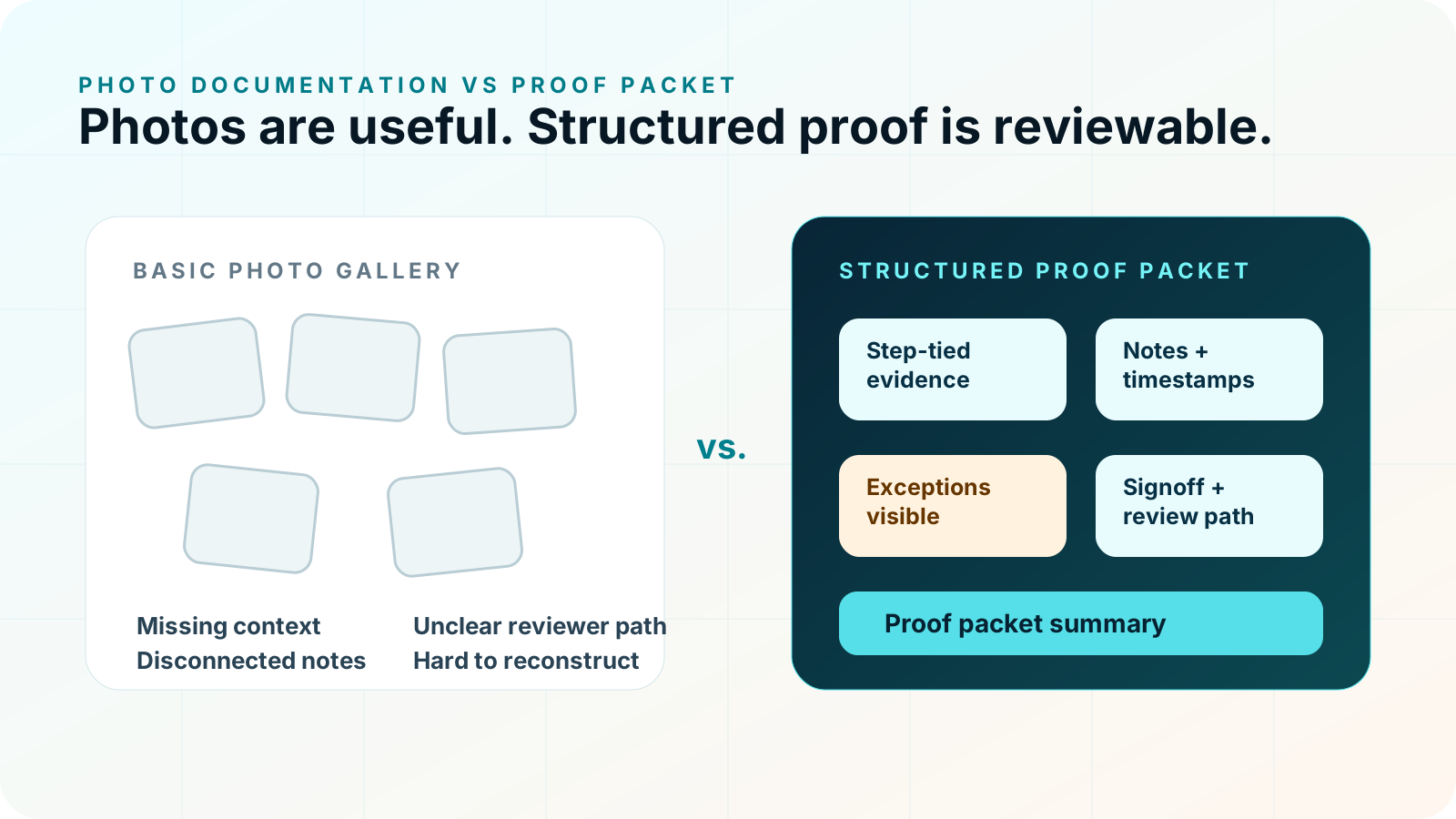
CoSkip supports guided proof capture alongside existing field workflows and systems. Integration and export scope depends on the workflow, system environment, and pilot requirements. Review integration options, Security & Trust, how warranty photos become a review-ready documentation package, and a practical guide to before-and-after documentation for warranty repair.
Evaluate the complete path from technician capture to manager review. A strong system should make requirements clear without separating the photo from the operational context that gives it meaning.
A useful pilot does not begin by applying photo requirements to every technician and every job.
Start where required photos are known or can be defined, missing evidence creates real follow-up, exceptions occur often enough to matter, a manager owns review, and technicians can provide fast feedback.
Practical answers for teams evaluating photo proof, proof packets, and field service closeout records.
Field service photo documentation software helps teams capture required job images and preserve the job, asset, workflow step, timestamp, note, reading, exception, and reviewer context needed after the technician leaves.
An attachment can keep an image with a work order. A contextual photo workflow also identifies why the photo was required, which step it supports, what the technician observed, whether an exception remains, and who needs to review it. Capabilities vary by system and configuration.
Useful context can include the job or work order, asset or location, workflow step, capture time, technician note, reading or measurement, exception status, signoff, and reviewer path.
Yes. CoSkip can keep required photos connected to configured workflow steps so a reviewer can see what requirement each image supports.
CoSkip can prompt configured photo requirements at the relevant workflow step, including before, after, condition, reading, and exception evidence where the workflow calls for it.
Configured requirements can make missing photo evidence visible before closeout so the technician or reviewer can address the gap or record an exception.
It can support review when photos remain connected to before and after conditions, service steps, notes, readings, exceptions, and signoff. It does not guarantee warranty approval or customer outcomes.
Yes. CoSkip can organize step-tied photos with timestamps, notes, readings, exceptions, signoff, and closeout status in a review-ready proof packet.
No. CoSkip is designed to support guided proof capture alongside existing field workflows and systems. Integration and export scope depends on the workflow, system environment, and pilot requirements.
Start with one repeatable workflow where required photos are known, missing evidence creates follow-up work, a manager owns review, and the team can measure documentation quality and adoption.
See how guided photo capture keeps required images connected to job steps, timestamps, technician notes, readings, exceptions, signoff, and manager review.