Shows the next step
Keep the technician oriented around the active workflow instead of a long manual or blank form.
CoSkip is a field technician AI assistant for the moment work actually happens: standing in front of equipment, diagnosing an issue, following a workflow, capturing required proof, or closing out a job.
It supports technicians instead of replacing them, combining voice and visual guidance, workflow-specific answers, proof prompts, exceptions, and closeout context from approved company knowledge.
An AI technician assistant gives field technicians real-time support through voice interaction, visual job context, and company knowledge while the work is happening.
The assistant should help technicians inside the workflow. It should not be limited to generic chat. It should help the technician understand what they are seeing, ask what to do next, follow approved steps, and capture closeout details without replacing technician judgment.
Keep the technician oriented around the active workflow instead of a long manual or blank form.
Surface configured SOP, checklist, manual, site note, or expert process context where pilot scope supports it.
Give technicians a practical way to ask for help without stopping to search long documents.
Support photos, labels, visible conditions, and equipment details so guidance is more specific.
Document unresolved issues, unusual conditions, and follow-up needs while the technician is still on site.
Help field work become a cleaner closeout record for supervisors, customers, and warranty teams.
Give reviewers step-level evidence instead of scattered photos, messages, and reconstructed notes.
Every service team has a few senior technicians who know what to check, what to avoid, and how to solve the weird problems. CoSkip helps turn that expertise into guidance every technician can use in the field.
Technicians need fast prompts that help them move through the job without stopping to hunt for answers.
Context can be spread across dispatch notes, previous tickets, site knowledge, and technician memory.
Procedures, manuals, checklists, and job notes are rarely available in a concise field-ready format.
Photos often miss the step, timestamp, required angle, or condition needed for later review.
Experienced technician judgment matters, but teams need a better way to make repeatable process knowledge visible.
Supervisors and coordinators lose time reconstructing what happened after the technician leaves the site.
CoSkip is designed around the field execution moment: the current step, the technician question, the visual context, the approved knowledge source, and the closeout record created afterward.
Teams can assess field AI readiness before turning SOPs, job notes, proof prompts, and technician guidance into one configured workflow.
Turn repeatable jobs into guided steps based on SOPs, checklists, manuals, job notes, or expert process knowledge.
Move through the job with clearer prompts, proof requirements, and exception paths.
Technicians can ask what to check next without digging through PDFs, notes, or group chats.
Keep photos, timestamps, technician notes, signoff, and exception details tied to the right step.
Make missing evidence, unresolved issues, and follow-up needs visible before the job is closed.
Turn the completed workflow into a proof packet or closeout record for supervisors, customers, warranty teams, or auditors.
CoSkip can support the technician across the workflow lifecycle, depending on pilot scope, available context, and the field process being configured.
Technicians do not need long generic answers in the field. CoSkip connects guidance to the knowledge your team already trusts: manuals, SOPs, checklists, job history, site notes, escalation rules, and approved workflows.
Source scope, permissions, and retrieval behavior depend on pilot configuration, available materials, and security requirements.
Notes, photos, evidence, exceptions, and closeout details should not be reconstructed after the job. CoSkip helps capture them as part of the guided workflow.
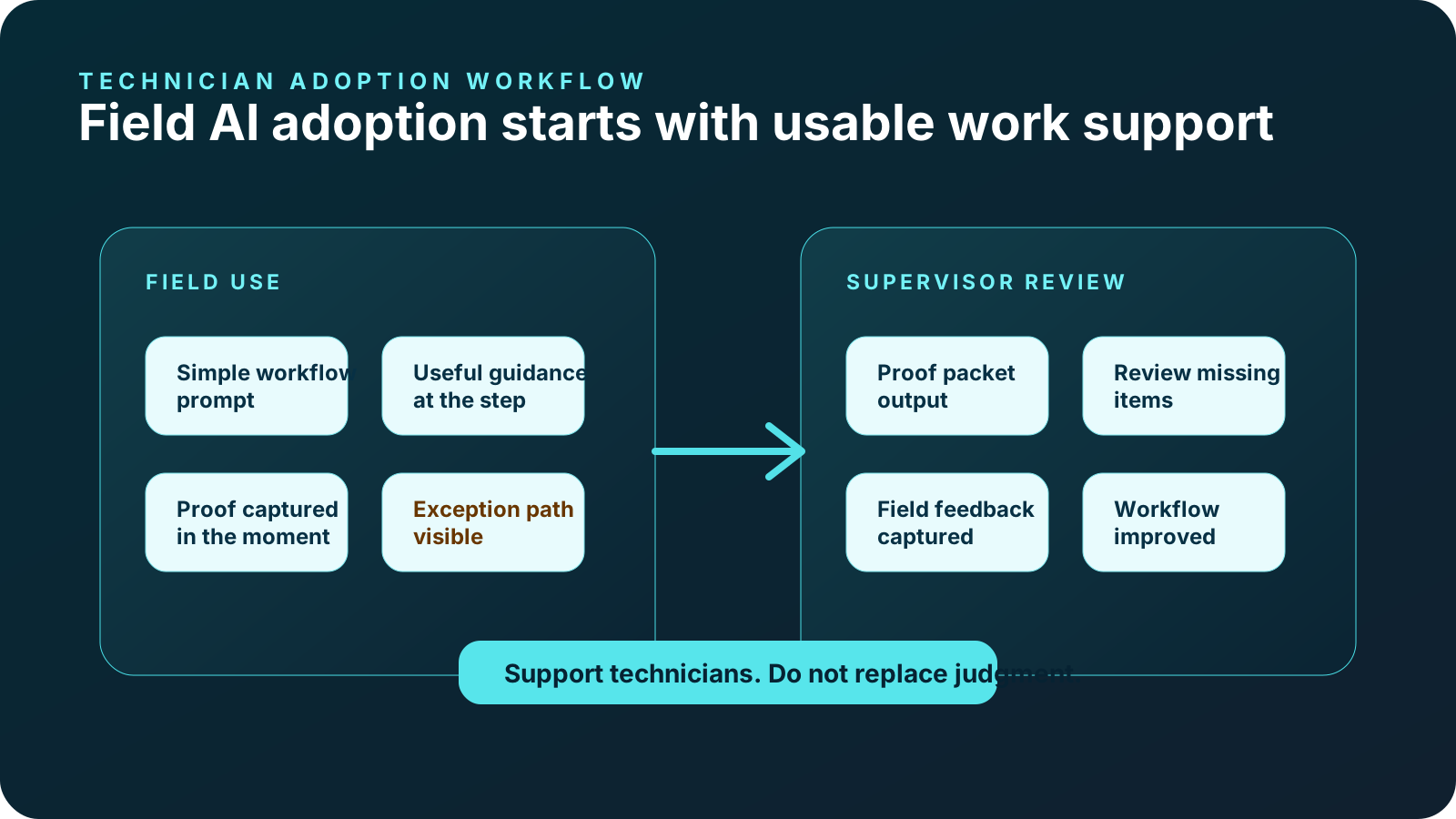
Field AI only works if technicians actually use it. CoSkip should feel useful during the job, not like extra paperwork after the job. It is designed to reduce friction by making guidance, proof, and notes part of the same workflow.
Keep the field experience concise and practical.
Make the next step and proof requirement clearer.
Ask for evidence when the technician is already performing the step.
Improve the record that supervisors and coordinators review.
Show what needs follow-up before the job disappears into closeout.
Help technicians know what is complete, what is missing, and what reviewers will need.
New technicians often need help understanding how experienced technicians handle repeatable workflows, exceptions, proof requirements, and closeout standards. CoSkip can help teams turn expert process knowledge into guided workflows.
CoSkip supports workflow guidance and proof capture. It does not replace formal training, certification, licensing, safety programs, or supervisory review.
CoSkip is strongest when one repeatable field workflow needs better technician guidance, required proof, and review-ready closeout.
Help technicians follow PM steps, capture equipment condition, record required photos, note exceptions, and create customer-ready closeout proof.
HVAC technician AI assistant →Guide recurring checks, contractor verification, location notes, issue evidence, and supervisor-ready records.
Facilities technician AI assistant →Help technicians capture before/after evidence, parts notes, service steps, exception documentation, signoff, and claim-ready proof.
Warranty repair technician assistant →Support diagnostics, before/after evidence, repair notes, customer approval, and closeout records.
Plumbing technician guidance →Guide camera workflows, blockage documentation, hydro-jetting proof, approval steps, findings, and proof packets.
Sewer and drain technician support →Support panel photos, readings, safety checks, troubleshooting notes, exception flags, and customer-ready closeout.
Electrical service guidance →Guide roof evidence, storm damage documentation, measurements, crew verification, warranty proof, and customer closeout.
Roofing inspection proof →Guide asset inspections, contractor verification, safety checks, field notes, exceptions, and audit-supporting proof packets.
Utility field inspection guidance →Generic AI chat can answer questions, but field technicians need step-specific guidance, source-aware context, required proof prompts, exception status, and closeout support.
Use these guides to align one repeatable workflow, source-aware guidance, technician trust, proof capture, and closeout review before rollout.
Define the required proof, notes, exceptions, signoff, manager review, and back-office handoff a technician should capture before closeout.
Read the closeout checklist →Define the photos, notes, timestamps, exceptions, and warranty context technicians should capture before closeout.
Read the standards →Define what guidance belongs inside the job: steps, proof prompts, exceptions, notes, signoff, and service manager review.
Read the guidance article →Understand the field support layer behind guided steps, proof prompts, exceptions, and review-ready closeout.
Read the guide →Plan workflow fit, field usability, source trust, proof prompts, supervisor support, and pilot feedback loops.
Read the checklist →CoSkip should not be framed as replacing an FSM, CMMS, CRM, dispatch system, or system of record. CoSkip focuses on technician guidance, proof capture, exceptions, and closeout quality.
Integration scope depends on your workflow, current systems, pilot goals, and security requirements.
The goal is not to promise guaranteed outcomes. The goal is to make one real workflow easier to guide, prove, close out, and review.
Give technicians a clearer path through repeatable work.
Prompt evidence capture while work is happening.
Keep rationale, exceptions, and context attached to the step.
Make the closeout record easier to understand.
Keep before/after evidence, parts notes, and signoff organized.
Show completed work, proof, exceptions, and next steps more clearly.
Turn expert process knowledge into clearer technician workflows.
Review adoption, proof quality, closeout records, and expansion opportunities.
The best starting point is one workflow where technician guidance, proof capture, and closeout quality matter.
Choose a real job path where proof gaps, closeout friction, or review delays matter.
Collect SOPs, checklists, manuals, job notes, and expert process knowledge.
Map checkpoints, evidence, notes, signoff, and reviewer needs.
Turn the workflow into concise technician prompts, proof prompts, and follow-up logic.
Validate usability, field fit, proof quality, and adoption signals.
Measure proof quality, closeout records, exception visibility, adoption, and expansion opportunities.
Practical answers for teams evaluating technician guidance, source-aware answers, proof capture, exceptions, adoption, onboarding, and closeout records.
An AI technician assistant is a field support layer that helps technicians follow approved workflow steps, ask job-specific questions, capture required proof, flag exceptions, and close out work with review-ready context.
It can surface the current step, relevant SOP or job context, proof prompts, exception guidance, and closeout requirements while the technician is still in the field.
Field service management systems usually manage scheduling, dispatch, work orders, routing, and administrative workflows. CoSkip focuses on the moment of work itself: helping technicians understand what they are seeing, ask what to do next, and capture proof before closeout.
No. A generic chatbot answers open-ended questions. CoSkip is designed around field workflow context, configured guidance, required proof, exception paths, and closeout records.
Yes. CoSkip is designed for field conditions where technicians need fast, practical support without stopping to search through manuals, notes, or long documents.
CoSkip is designed to support visual field context such as photos, equipment details, visible job conditions, labels, and captured evidence so guidance can be more practical and specific.
Depending on the configured workflow, CoSkip can help prompt photos, readings, timestamps, technician notes, exception details, signoff, and closeout summary information.
No. CoSkip helps scale senior-technician knowledge across the team. It gives technicians access to approved guidance, manuals, SOPs, job notes, and escalation logic while preserving the role of experienced technicians and managers.
Yes. CoSkip's primary experience is guided field work, and that same workflow can capture notes, photos, evidence, exceptions, and closeout details for manager review.
Start with one repeatable workflow and see how ask-by-voice support, visual context, company knowledge, and cleaner closeout can support technician adoption.