
Use this HVAC PM closeout checklist to capture completed steps, required photos, notes, exceptions, signoff, and review-ready proof.
An HVAC PM closeout checklist should define the required maintenance steps, required photos, technician notes, readings or observations where appropriate, exceptions, signoff, and review-ready closeout summary before the technician leaves the site.
The goal is not to add paperwork after the visit. The goal is to capture proof at the source, while the equipment, technician, context, customer questions, and open items are still available.
Why HVAC PM closeout matters
HVAC preventive maintenance visits are repeatable, which makes them a strong place to standardize closeout. The same kind of visit may happen across many sites, technicians, assets, seasons, and customer expectations. When closeout is inconsistent, supervisors spend time chasing photos, asking what was checked, or reconstructing the record from camera rolls and short notes.
A useful PM closeout record helps answer a simple question: can this visit be reviewed without calling the technician back for context? That record can support supervisor review, customer handoff, warranty review where relevant, callback analysis, and pilot measurement for guided field workflows.
PM visits are workflow candidates
The steps and proof requirements are easier to define than one-off emergency work.
Supervisors need evidence
Closeout review is faster when photos, notes, exceptions, and signoff are tied to steps.
Recurring PM records reveal gaps
Patterns in missing proof or open exceptions can guide training and pilot improvements.
What should be captured before PM closeout
The right checklist depends on the maintenance program, customer agreement, equipment type, and internal review process. CoSkip should not be used as a substitute for technician judgment, manufacturer guidance, safety procedures, code requirements, warranty terms, or supervisor review. It can help make the expected proof easier to capture and review.
Customer, site, work order, technician, and schedule context.
Asset identity, location, nameplate or equipment reference where available.
The configured checks and closeout steps that matter for review.
Condition, nameplate, before/after, or closeout proof required by the workflow.
Technician observations, customer context, and closeout comments tied to the step.
Unresolved conditions, blocked work, follow-up needs, or missing proof.
Customer or technician acknowledgment where the workflow requires it.
A review-ready packet showing what happened and what remains open.
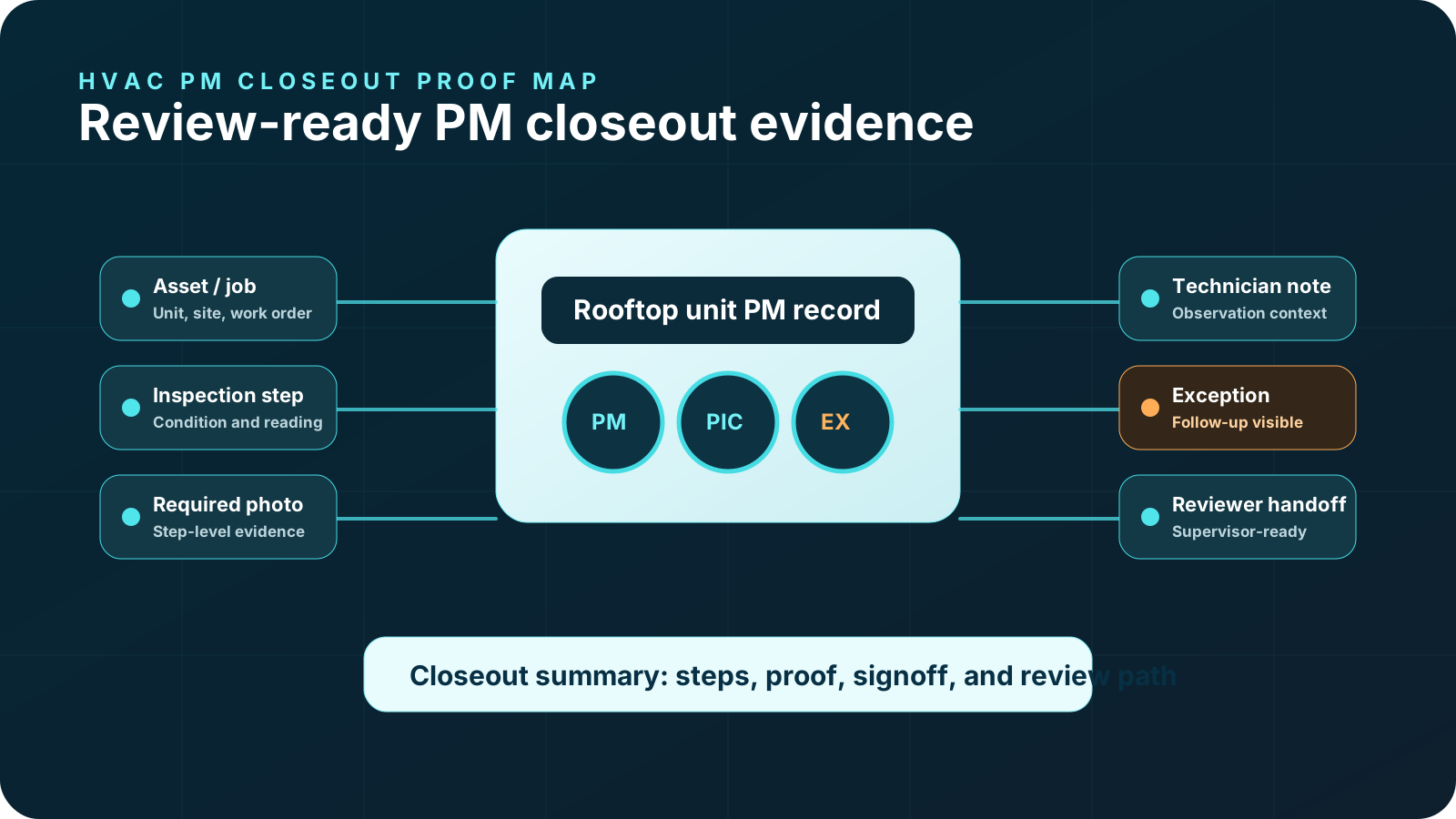
HVAC PM closeout checklist
Use this checklist as an operating model, then adapt it to your actual PM program and reviewer needs.
- AJob context
Confirm customer, site, work order, technician, scheduled scope, and the PM workflow being closed out.
- BEquipment/context evidence
Attach asset context where available, such as nameplate photo, equipment location, or system reference.
- CRequired workflow steps
Mark the configured PM steps that were completed, skipped, blocked, or escalated.
- DRequired photos
Capture condition photos, nameplate/context photos, before/after evidence, or closeout photos required by the workflow.
- ETechnician notes
Add short observations, readings or measurements where appropriate, customer context, and repair or follow-up rationale.
- FExceptions and follow-up
Flag missing proof, unresolved conditions, access constraints, customer questions, or work that needs another review.
- GSignoff
Capture customer or technician signoff where configured, without implying approval beyond the workflow definition.
- HReview-ready closeout
Assemble the record so a supervisor can see steps, proof, notes, exceptions, and closeout status together.
- IPilot measurement
Track proof completeness, closeout review time, exception visibility, technician adoption, and repeated missing items.
Common PM closeout gaps
Most PM closeout gaps are not caused by a lack of effort. They happen because the evidence standard is unclear or the workflow asks technicians to remember proof requirements after the work is already complete.
- Required photos are missing, blurry, or not tied to a PM step.
- Readings or observations are captured in notes but not connected to the review record.
- The job is marked complete, but the reviewer cannot see what evidence supports closeout.
- Open exceptions are buried in a note instead of visible in the packet.
- Customer questions or follow-up needs are not captured before the technician leaves.
- Supervisor review depends on calls, texts, or technician memory.
How proof packets improve PM closeout
A proof packet turns the PM closeout into a structured review record. Instead of a folder of photos and a short work order note, the packet organizes job context, completed steps, required proof, timestamps, notes, exceptions, signoff, and closeout summary.
For a PM workflow, that means supervisors can review what was checked, what proof was captured, and what follow-up remains. Customers can receive a clearer closeout story where appropriate. Warranty or quality reviewers can inspect the supporting evidence without rebuilding the job from scattered assets. See a safe example on the sample proof packet page.
Turn one PM closeout into guided work with proof built in.
Start with one repeatable PM workflow, define the required proof, and review how the packet should look after closeout.
How CoSkip helps HVAC PM closeout
CoSkip can help HVAC teams configure guided PM steps, prompt required proof during the visit, capture technician notes, flag exceptions, collect configured signoff, and assemble a review-ready closeout record depending on pilot scope. That can support the operating layer around existing systems without replacing the FSM, the technician, supervisor review, safety procedure, or manufacturer guidance.
The related product paths are field service AI software, field service AI copilot, and AI technician assistant. Use those pages to review the broader guided-work model.
Pilot starting point
HVAC PM closeout is often a strong first workflow because it is repeatable, proof-heavy, and easy to evaluate. A pilot can start with a defined PM path, a few sample procedures, a field lead, a supervisor reviewer, and a small set of metrics.
Use the Field AI readiness score to check SOPs, proof standards, ownership, and devices.
Use the ROI calculator to model callbacks, admin review, and missing proof costs.
Use the pilot program path when the workflow, owner, and proof requirements are ready.
Checklist design tips for supervisors and field leads
The best HVAC PM closeout checklist is specific enough to be useful and short enough to be used in the field. Start by separating the workflow steps from the proof requirements. A step says what part of the closeout process is being completed. A proof requirement says what evidence a reviewer needs to trust that step later.
Do not turn the checklist into a copy of every manual, procedure, or safety requirement. Those source materials still matter, but the closeout checklist should focus on what the technician must capture before the record can be reviewed. If the checklist is too long, technicians will treat it as paperwork. If it is too vague, supervisors will still have to chase context.
- Write each proof requirement in plain field language.
- Make required photos specific enough that technicians know what to capture.
- Keep readings, measurements, or observations general unless your workflow defines them.
- Give exceptions a visible status instead of hiding them in a notes field.
- Name the reviewer so the technician understands why proof is required.
- Remove prompts that do not support supervisor, customer, warranty, or operations review.
How supervisors can review a PM closeout packet
A supervisor should not have to inspect the entire job from scratch. A strong PM proof packet gives the reviewer a clean path: verify job context, scan required steps, review captured proof, inspect exceptions, and decide whether the record is complete enough for closeout or needs follow-up.
| Review question | What the packet should show | Why it matters |
|---|---|---|
| Was the right workflow completed? | PM workflow name, site, work order, technician, and asset context where available. | Prevents confusion between similar visits or equipment records. |
| Were required steps completed? | Step confirmations and closeout status tied to the configured checklist. | Shows whether the PM process was followed at a reviewable level. |
| Is required proof attached? | Photos, notes, observations, timestamps, signoff, and exception records. | Reduces after-the-fact calls, texts, and camera roll searches. |
| Are exceptions visible? | Blocked steps, unresolved conditions, missing proof, or follow-up ownership. | Keeps open items from disappearing when the work order is closed. |
| Can this record be shared or exported? | Closeout summary, reviewer status, and export-ready metadata where configured. | Supports customer handoff, warranty review, or operations reporting. |
What not to use the checklist for
An HVAC PM closeout checklist is not a technical repair manual, safety program, code compliance system, warranty approval tool, or replacement for supervisor review. It should help the team capture the proof needed for a defined workflow. Keep the language careful: the packet can show what was captured and what remains open, but it should not claim an approval, code outcome, warranty outcome, or operational result that the workflow cannot support.
PM closeout pilot review questions
Before launching the pilot, ask the review team a short set of questions. Which proof items do supervisors ask for most often? Which photos are missing after the technician leaves? Which exceptions create customer or warranty follow-up? Which closeout notes are too vague to review? Which parts of the existing PM form are useful in the field, and which parts are only completed later?
Those answers should shape the first version of the guided workflow. After the first group of PM visits, review sample packets with supervisors and field leads. Keep what helped the review. Remove what created friction without improving the record. Add only the proof prompts that reviewers consistently need. This keeps PM closeout from becoming a paperwork exercise and turns it into a measurable workflow improvement.
HVAC PM closeout checklist FAQs
What is HVAC PM closeout?
HVAC PM closeout is the final record for a preventive maintenance visit, including completed steps, required proof, notes, exceptions, signoff, and review status.
What should an HVAC PM closeout checklist include?
It should include job context, equipment context, required workflow steps, photos, notes, observations, exceptions, signoff, supervisor review status, and closeout summary.
What photos should be included in PM closeout?
The required photos depend on the workflow, but they may include equipment context, condition evidence, nameplate proof, before/after evidence, or closeout photos.
Can PM closeout become a proof packet?
Yes. A proof packet organizes PM steps, required proof, notes, exceptions, signoff, and closeout summary into a review-ready record.
How can CoSkip help with PM documentation?
CoSkip can guide configured PM steps, prompt required proof, flag exceptions, capture notes, and assemble closeout packets depending on pilot scope.
Does CoSkip replace our FSM?
No. CoSkip supports guided workflows and proof capture around existing systems. Export and integration scope depends on the pilot.
Does CoSkip replace technician judgment?
No. CoSkip does not replace licensed technician judgment, safety procedures, manufacturer guidance, warranty terms, code requirements, or supervisor review.
What should we measure in an HVAC PM closeout pilot?
Measure proof completeness, closeout review time, exception visibility, missing proof items, technician adoption, and reviewer follow-up questions.
Can closeout records support warranty review?
They can support warranty review by organizing relevant proof, notes, exceptions, and before/after evidence, but they do not guarantee warranty approval.
