
A practical guide for field leaders on running a focused field AI pilot in 6–10 weeks, choosing the right workflow, protecting operations, measuring results, and preparing for scale.
How to Pilot Field AI in 6–10 Weeks Without Disrupting Operations
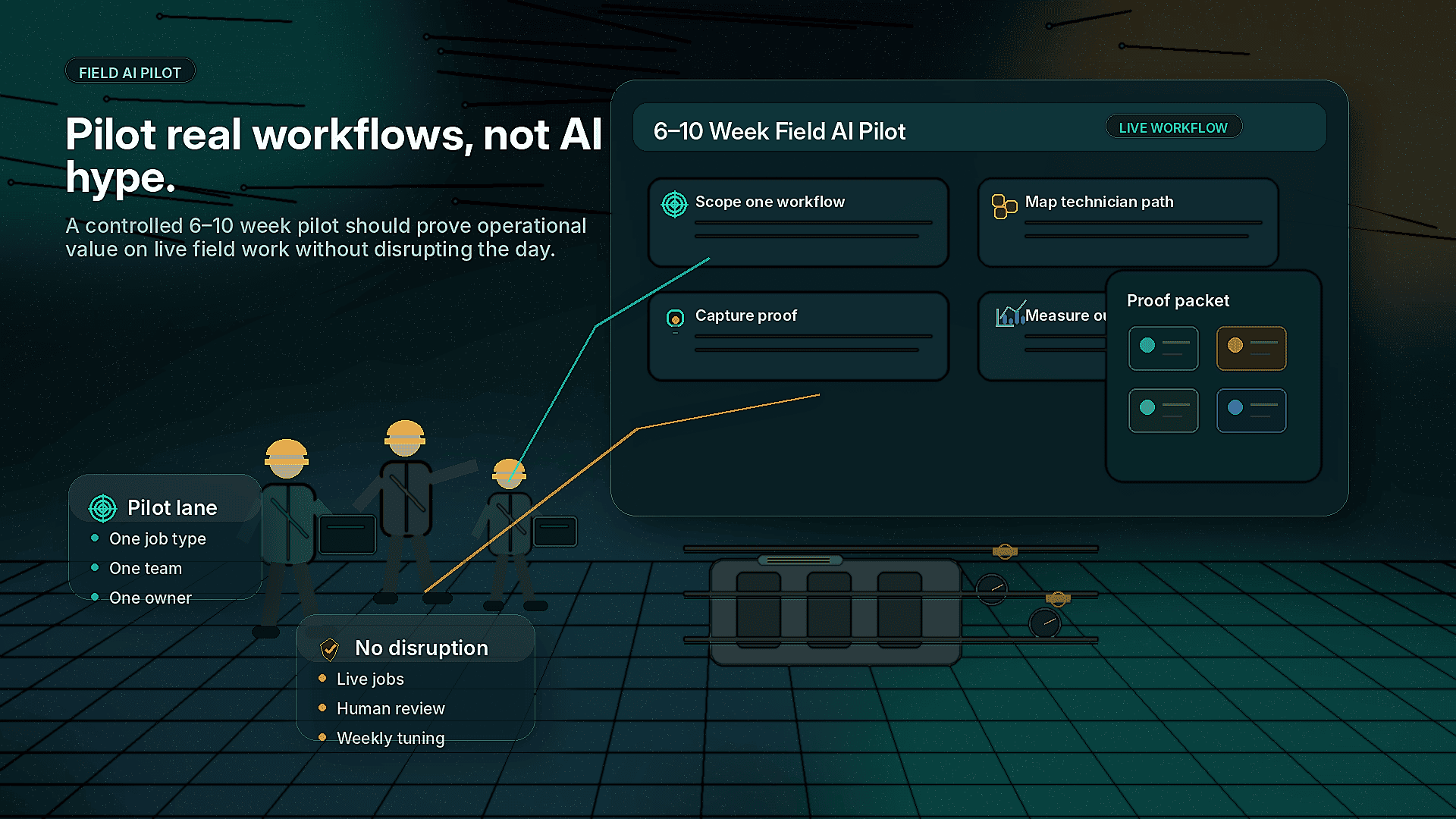
Field AI does not need to start with a transformation program, a multi-year roadmap, or a full systems overhaul. For most service organizations, facilities teams, utilities, contractors, and industrial operators, the right starting point is much smaller: one real workflow, one operating team, one measurable problem, and a controlled 6–10 week pilot.
The goal of a field AI pilot is not to prove that AI is interesting. It is to prove whether AI can remove friction from the work your teams already do every day.
That might mean helping technicians capture better job evidence, guiding newer team members through complex tasks, reducing incomplete closeouts, improving handoffs between dispatch and the field, or creating proof packets that customers, managers, and back-office teams can trust.
A good pilot should not disrupt operations. It should fit around real jobs, real technicians, real supervisors, and real customer expectations. This guide lays out a practical way to run a field AI pilot in 6–10 weeks without overwhelming the operation.
What a field AI pilot should actually prove
A field AI pilot should answer four operational questions:
- Can AI improve a specific field workflow without slowing technicians down?
- Can supervisors, dispatchers, and back-office teams trust the information coming back from the field?
- Can the workflow produce better documentation, evidence, or closeout quality than the current process?
- Is the use case worth scaling across more crews, regions, assets, or job types?
That is different from testing AI in a conference room. A pilot should be run in the field, on active work, with the people who will actually use it.
For CoSkip, that often means testing AI-assisted workflows such as:
- Photo and video evidence capture
- Computer vision checks against required job conditions
- AR-assisted guidance for technicians
- Step-by-step workflow support
- Required closeout documentation
- Asset condition capture
- Customer-ready proof packets
- Supervisor review and exception handling
If the pilot cannot connect to an operational pain point, it is probably too abstract.
Start with one workflow, not a broad AI initiative
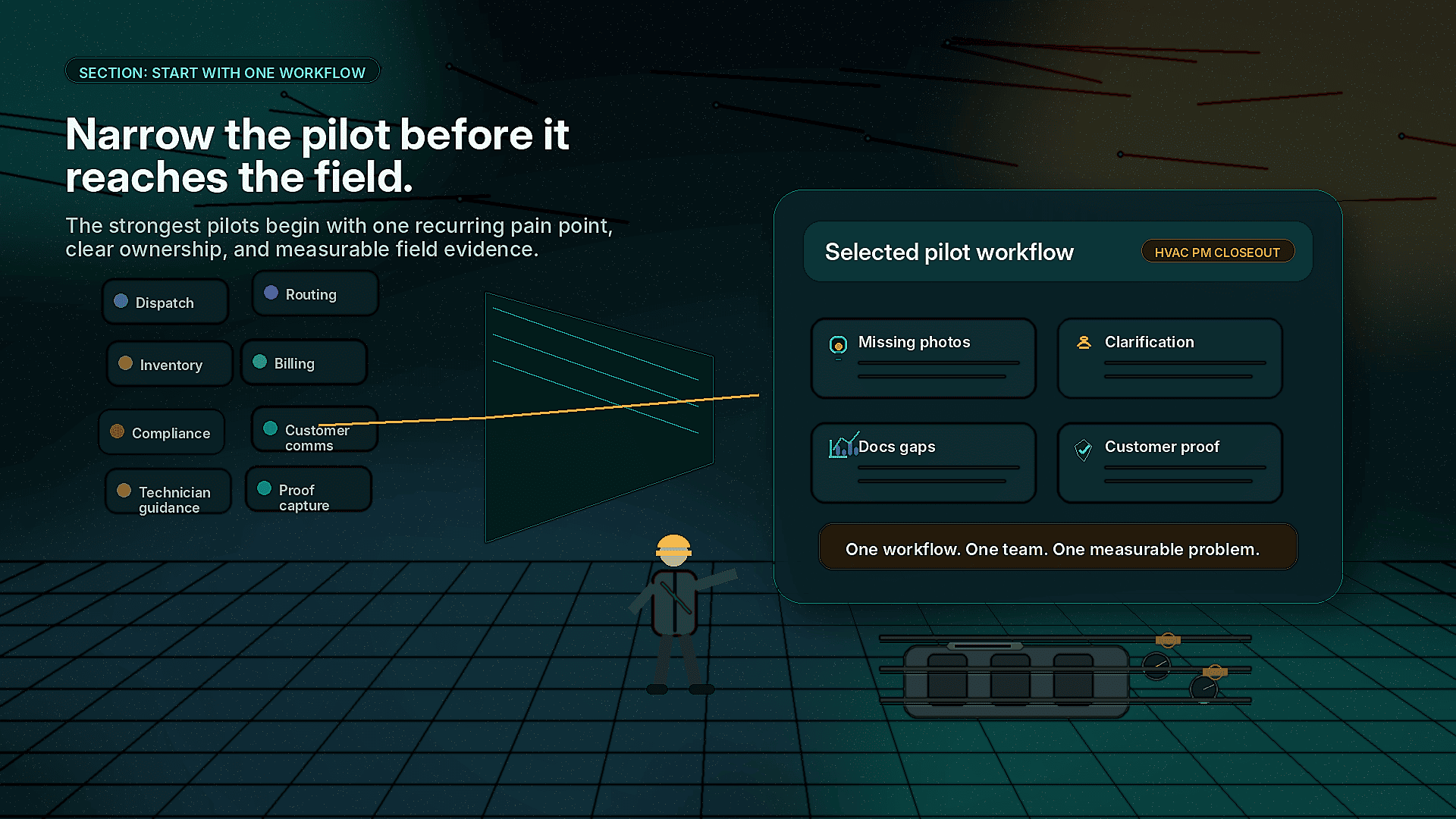
The most common mistake is trying to pilot AI across too many use cases at once. Field teams already operate under pressure. If a pilot touches dispatch, routing, inventory, customer communication, technician guidance, billing, and compliance all at the same time, it becomes hard to manage and harder to measure.
Pick one workflow where the pain is visible and recurring.
Good pilot candidates include:
- Jobs with frequent missing photos or incomplete notes
- Work orders that often require supervisor clarification
- Repeat visits caused by unclear documentation or incomplete diagnosis
- Complex maintenance procedures where technicians need guidance
- Compliance-heavy jobs requiring proof of completion
- Customer disputes where the team needs better evidence
- High-volume service categories with inconsistent closeouts
Weak pilot candidates include:
- Workflows no one owns
- Edge cases that happen only a few times per year
- Processes with unclear success criteria
- Jobs where technicians have no time or authority to change the workflow
- Initiatives driven only by executive curiosity, not operational need
A strong field AI pilot begins with a narrow question. For example:
- Can we improve photo quality and closeout completeness on commercial HVAC preventive maintenance visits?
- Can we guide sewer and drain technicians through evidence capture so managers can verify job completion faster?
- Can facilities technicians document asset condition in a consistent way during inspection rounds?
- Can utility crews capture required safety and completion proof before leaving the site?
The narrower the starting point, the easier it is to protect operations and learn quickly.
Use a 6–10 week pilot structure
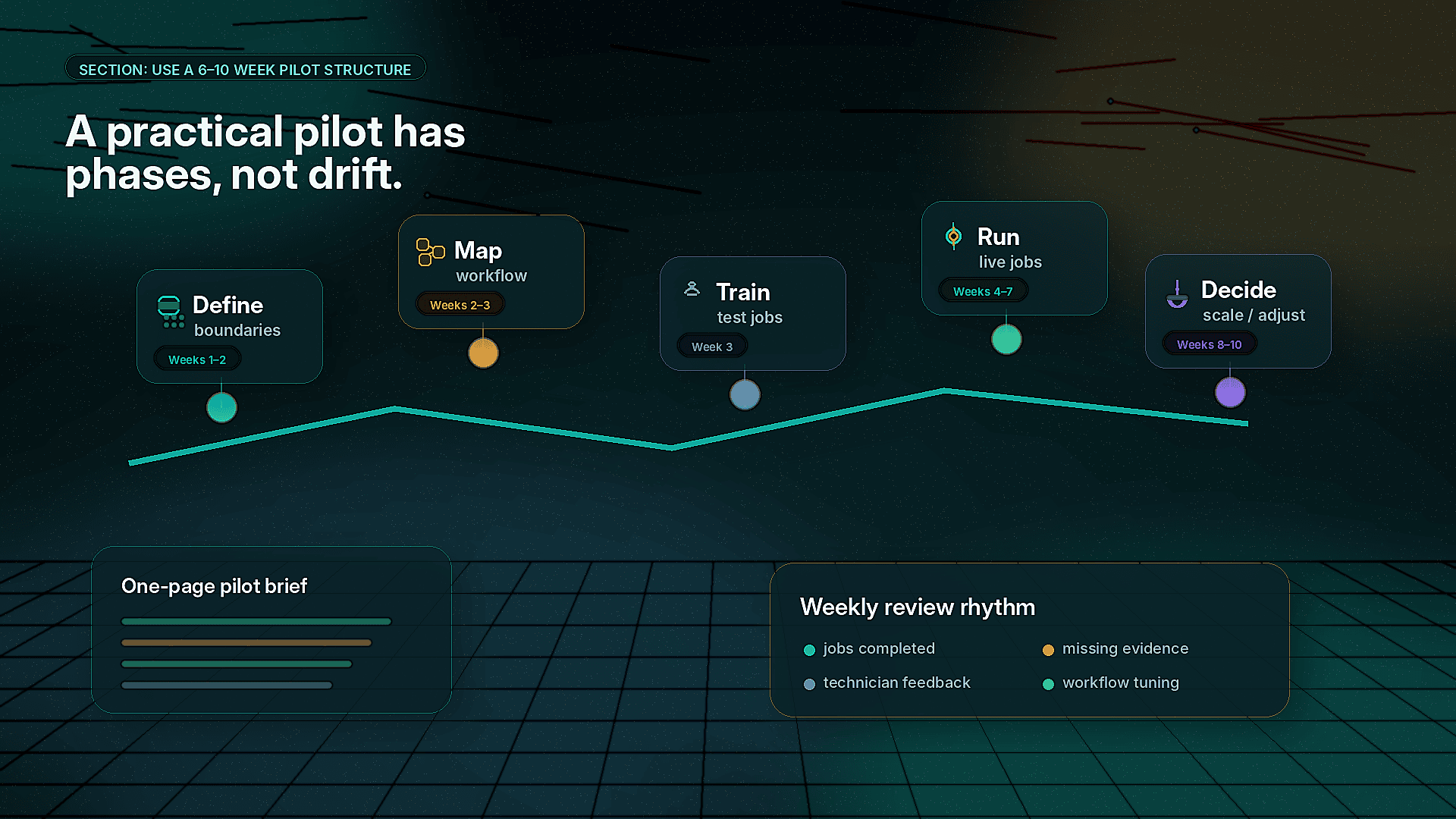
A practical field AI pilot can be organized into four phases.
Weeks 1–2: Define the workflow and pilot boundaries
The first phase is about focus. Before putting AI into the field, define the exact operating lane.
Clarify:
- Which job type or workflow is included?
- Which technicians or crews will participate?
- Which managers, dispatchers, or back-office users need visibility?
- What evidence or documentation is required today?
- Where does the current process break down?
- What will not be included in the pilot?
This is also the time to review current work orders, photos, job notes, callback examples, customer disputes, or compliance files. The pilot should be built around real operational evidence, not assumptions.
A useful output from this phase is a one-page pilot brief with:
- Pilot workflow
- Participating team
- Target job volume
- Baseline pain points
- Success measures
- Risks and guardrails
- Decision date for scale, adjust, or stop
If you cannot summarize the pilot on one page, it is probably too broad.
Weeks 2–3: Map the technician workflow
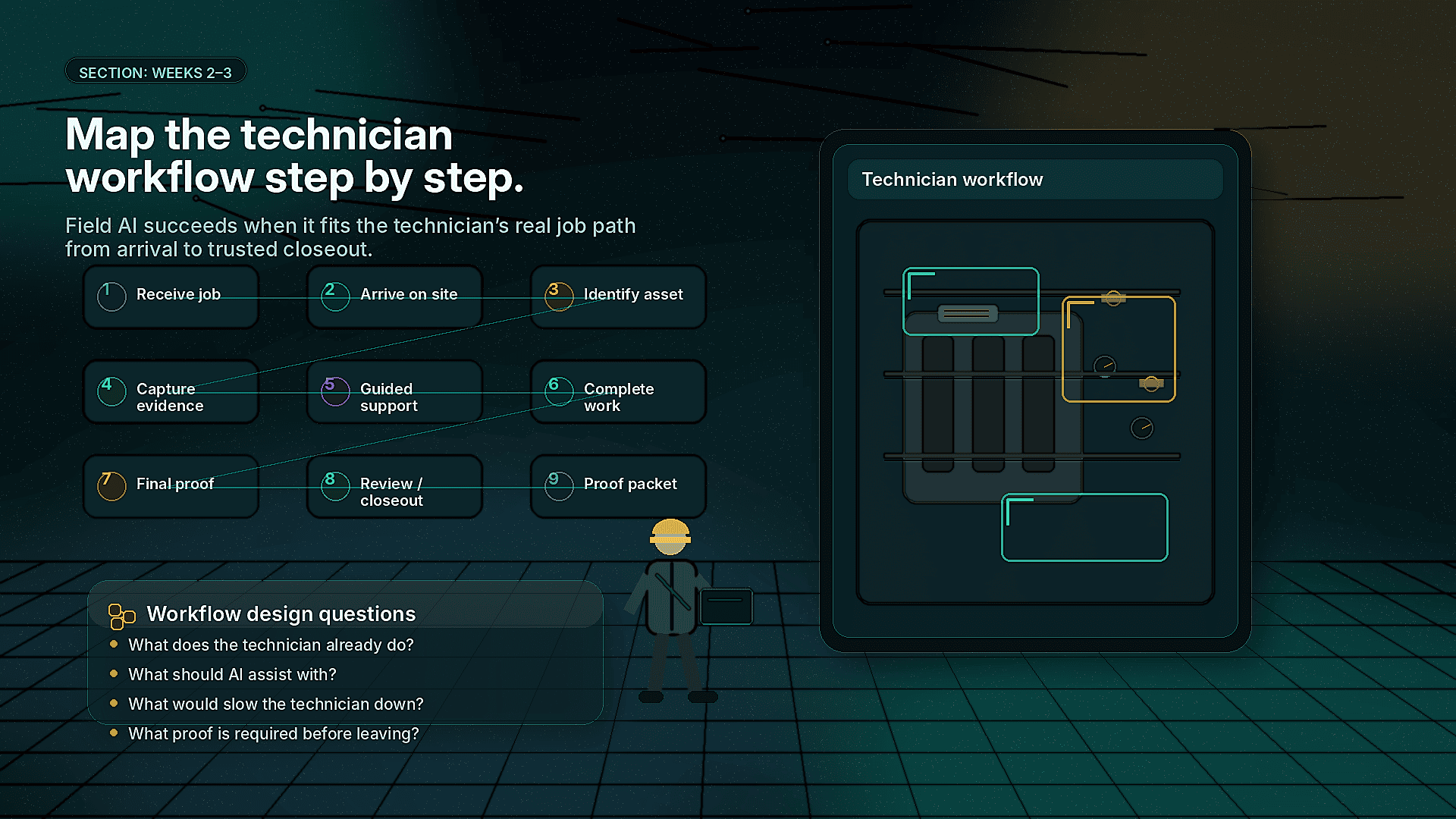
AI in the field succeeds or fails at the technician workflow level. If the process adds too many taps, interrupts the job, or feels disconnected from the actual work, adoption will suffer.
Map the technician experience step by step:
- Technician receives the job
- Technician arrives on site
- Technician identifies the asset or work area
- Technician captures required evidence
- AI or AR-assisted guidance supports the task
- Technician completes the work
- Technician captures final proof
- Job is reviewed or closed out
- Proof packet is shared with the right audience
At each step, ask:
- What does the technician already do today?
- What should AI assist with?
- What should remain manual?
- What information is required before the technician can leave?
- What would slow the technician down?
- What would help a newer technician do the job correctly?
For example, on an equipment maintenance workflow, CoSkip might help the technician capture asset photos, verify that required panels or components are documented, follow a guided checklist, flag missing evidence, and generate a proof packet for the supervisor or customer.
The key is not to make the technician serve the software. The software should support the work.
Choose measurements that operators trust
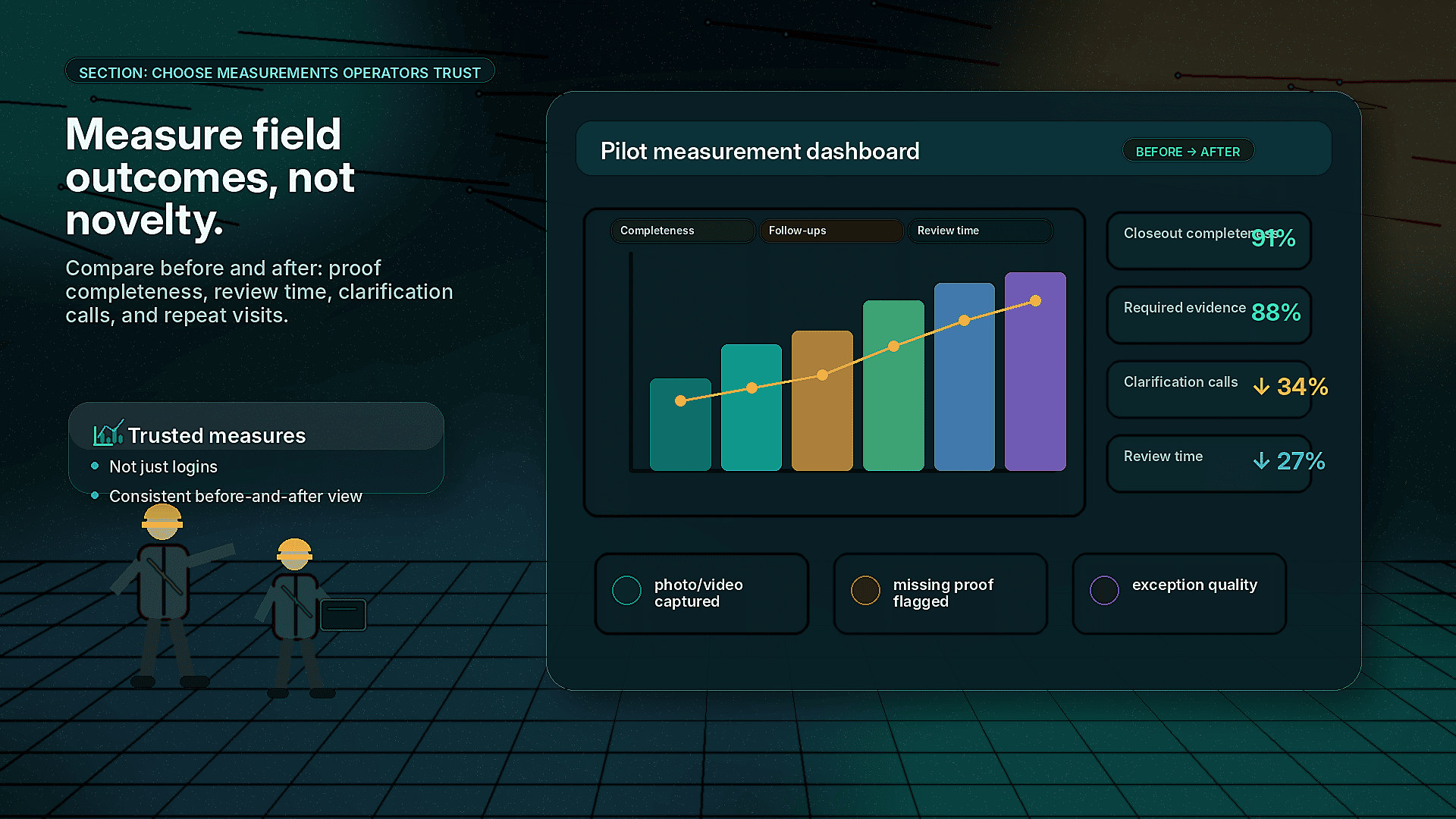
Do not measure a field AI pilot only by logins or usage. Those numbers can be useful, but they do not prove operational value.
Better pilot measures include:
- Percentage of jobs with complete closeout documentation
- Percentage of jobs with required photos or videos captured
- Number of supervisor follow-ups caused by unclear notes
- Number of jobs missing required proof at closeout
- Time spent reviewing or reconstructing job history
- Repeat visits linked to documentation, diagnosis, or incomplete work
- Number of customer disputes with adequate evidence available
- Technician feedback on ease of use
- Dispatcher or supervisor feedback on job visibility
You do not need perfect data to run the pilot. You do need a consistent before-and-after view.
For ROI planning, leaders can also use the CoSkip ROI Calculator to model how improvements in documentation, repeat visits, review time, or closeout speed may affect operating cost.
Protect operations with clear guardrails
A field AI pilot should not create confusion about who owns the job, who makes decisions, or what happens when the technology is wrong.
Set guardrails before launch:
- Technicians remain responsible for the work performed
- Supervisors remain responsible for final escalation decisions
- AI suggestions do not override safety procedures, codes, customer requirements, or company policy
- The pilot applies only to selected job types
- Exceptions are documented and reviewed
- Technicians can flag confusing prompts or workflow issues
- No one is penalized for pilot friction during the learning period
This matters because field teams are practical. They need to know whether the pilot is meant to help them or monitor them. Positioning is important.
A good message to technicians is simple:
This pilot is designed to reduce rework, protect your work with better proof, and make closeout easier. We want your feedback on what helps and what gets in the way.
Mid-post CTA
Ready to test AI on one real field workflow without disrupting daily operations? Apply for the CoSkip Pilot Program to scope a focused 6–10 week pilot around proof capture, technician workflows, job documentation, or closeout quality.
What to include in the pilot workflow
The exact workflow will vary by industry, but most field AI pilots should include five practical components.
1. Evidence capture
Field work often succeeds or fails based on what can be proven after the job. Photos, videos, timestamps, asset identifiers, technician notes, and completion details help managers understand what happened without calling the technician back for clarification.
AI and computer vision can support evidence capture by helping identify missing photos, checking whether required visual proof was captured, organizing job media, and prompting the technician before closeout.
Example:
A facilities technician completing a rooftop unit inspection may be prompted to capture the unit tag, filter condition, coil condition, access panel, before-and-after service photos, and final operating status. If a required image is missing, the technician is alerted before leaving the roof.
2. Workflow guidance
Many field teams rely on tribal knowledge. Senior technicians know what to check, what to document, and what failure patterns to look for. Newer technicians may need more support.
AI-assisted guidance can help standardize steps without turning the job into a rigid script.
Example:
A utility crew performing a field repair may receive a guided sequence for site condition documentation, safety confirmation, repair steps, post-work verification, and final proof capture. The workflow supports consistency while still allowing the crew to handle site-specific conditions.
3. AR-assisted support
AR-assisted guidance can be useful when technicians need visual context, spatial direction, or step-by-step prompts on equipment or job sites. It should be used where it helps the technician make fewer mistakes or complete documentation more consistently.
Good AR pilot use cases include:
- Identifying components on complex equipment
- Guiding inspection sequences
- Showing required capture angles
- Supporting remote expert review
- Helping less experienced technicians follow standard procedures
AR should not be added just because it looks advanced. It should solve a specific workflow problem.
4. Exception handling
Field work is full of exceptions. Locked access, damaged equipment, unsafe conditions, missing parts, unclear scope, customer changes, and site constraints all affect the job.
A pilot workflow should make exceptions easy to capture.
Examples of useful exception prompts:
- Access blocked
- Asset not found
- Unsafe condition observed
- Customer requested additional work
- Required part unavailable
- Scope mismatch
- Photo evidence incomplete due to site limitation
Good exception documentation protects the technician and gives supervisors better information.
5. Proof packets
A proof packet is a structured record of what happened on the job. It can include photos, videos, notes, timestamps, asset details, checklist completion, exceptions, technician comments, and AI-assisted evidence summaries.
Proof packets are useful because different audiences need different levels of detail:
- Customers need confidence the work was completed
- Supervisors need reviewable job evidence
- Back-office teams need cleaner closeout information
- Compliance teams need documentation that can be retrieved later
- Dispatchers need fewer unclear handoffs
You can view an example structure on the Sample Proof Packet page.
Common warning signs during a field AI pilot
Not every pilot issue means the idea is failing. Some issues are normal and fixable. Others are warning signs that the pilot needs adjustment.
Warning sign: Technicians see the pilot as extra admin
If technicians feel the pilot only adds documentation work, adoption will drop. The workflow must give something back: fewer callbacks, clearer expectations, better protection from disputes, easier closeout, or faster supervisor approval.
What to do:
- Remove unnecessary fields
- Use prompts only where they matter
- Let technicians see the proof packet output
- Ask which steps feel repetitive or unclear
Warning sign: The pilot includes too many job types
Different work types have different evidence needs. A plumbing emergency, telecom install, HVAC PM visit, and industrial inspection should not all share the same pilot workflow.
What to do:
- Narrow to one job category
- Build a specific evidence standard
- Expand only after the workflow is stable
Warning sign: Managers want perfect automation immediately
A pilot is not the time to demand full automation across every scenario. Field work has too many exceptions. Start by improving capture, guidance, review, and documentation.
What to do:
- Define where human review remains required
- Use AI to assist, not replace judgment
- Measure improvement in workflow quality before expanding automation
Warning sign: Success metrics are vague
If the goal is simply to modernize field operations, the pilot will be hard to evaluate.
What to do:
- Pick 3–5 measurable indicators
- Establish a baseline
- Review weekly
- Decide in advance what scale-ready means
Operational examples by team type
Service contractors
A commercial service contractor may pilot field AI on preventive maintenance closeouts. The workflow could require technicians to capture specific before-and-after images, document asset condition, flag recommended repairs, and generate a proof packet for the customer.
The business value is cleaner documentation, fewer unclear recommendations, and stronger customer trust.
Facilities teams
A facilities team may pilot AI-assisted inspections across critical equipment rooms. Technicians can follow guided inspection steps, capture condition evidence, and escalate exceptions with photos and notes.
The value is more consistent inspection records and better visibility for managers responsible for multiple buildings.
Utilities and infrastructure crews
A utility team may pilot field AI on repair completion documentation. Crews can capture site conditions, safety confirmations, repair evidence, and restoration proof before closing the work order.
The value is stronger compliance support and better documentation when questions arise later.
Industrial operators
An industrial maintenance team may pilot AI on recurring asset maintenance. Technicians can use workflow guidance, visual evidence capture, and structured closeout notes to support reliability programs.
The value is better asset history and less dependence on memory or informal handoffs.
How to prepare supervisors and dispatchers
Field AI is not only a technician tool. Supervisors, dispatchers, and back-office teams need to understand how the pilot changes information flow.
Before launch, define:
- Who reviews proof packets?
- Which exceptions require supervisor attention?
- What does dispatch see before, during, and after the job?
- What information flows into the system of record?
- What still requires manual review?
- How will feedback from the office reach the pilot team?
For example, if a technician submits a proof packet showing incomplete access, dispatch may need a clear process for rescheduling. If a computer vision prompt flags missing evidence, the supervisor needs to know whether the technician can correct it on site or whether the job should be reviewed later.
The pilot should reduce confusion, not move it from the field to the office.
Weekly review rhythm
A 6–10 week pilot needs a simple operating cadence.
Weekly review agenda
- Number of pilot jobs completed
- Documentation completeness
- Missing evidence patterns
- Technician feedback
- Supervisor or dispatcher feedback
- Exceptions captured
- Workflow steps causing friction
- Adjustments for the next week
Keep the review short and practical. The purpose is to tune the workflow while the pilot is active.
Avoid waiting until the end to discover that one prompt confused every technician or one required photo was unrealistic in the field.
When a pilot is ready to scale
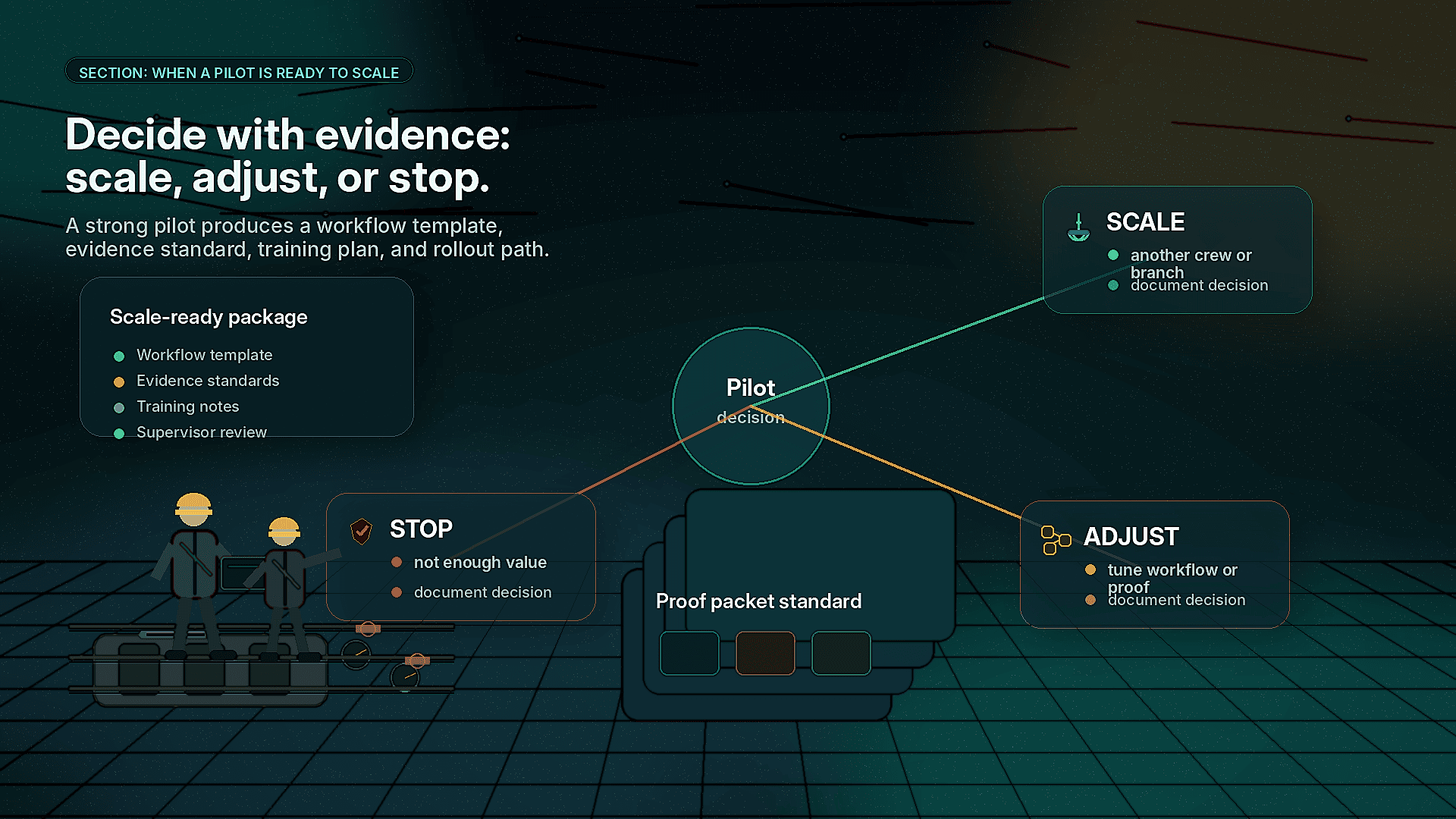
A field AI pilot may be ready to scale when:
- Technicians can complete the workflow without major disruption
- Documentation quality is visibly better
- Managers trust the proof coming back from the field
- Exceptions are easier to understand
- Repeat clarification calls decrease or become more targeted
- The workflow has a clear owner
- The team can explain the value in operational terms
- The next group of users can be trained without heavy customization
Scaling does not have to mean enterprise-wide rollout. The next step might be another crew, another branch, another asset class, or a related job type.
A good scale plan should include:
- Workflow template
- Training plan
- Evidence standards
- Supervisor review process
- Integration needs
- Reporting cadence
- Change management notes from the pilot
If your team wants to see how the workflow could look before committing to a pilot, explore the Interactive Demo.
What not to do in your first field AI pilot
Avoid these common mistakes:
- Starting with too many workflows
- Treating the pilot as an IT project only
- Ignoring technician feedback
- Measuring only adoption instead of operational improvement
- Using AI where a simple checklist would solve the problem
- Skipping supervisor and dispatcher workflows
- Failing to define what happens after the pilot
- Expecting AI to fix broken operating processes without process ownership
Field AI works best when it is attached to a clear operating need and deployed with the people who understand the work.
A practical 6–10 week pilot plan
Here is a simple model field leaders can adapt.
Week 1
- Select one workflow
- Identify pilot owner
- Review current documentation gaps
- Define participating team
- Set success measures
Week 2
- Map technician workflow
- Define required evidence
- Configure prompts, guidance, and proof packet structure
- Align supervisor and dispatcher review process
Week 3
- Train pilot users
- Run a small number of test jobs
- Collect immediate feedback
- Adjust workflow language and required steps
Weeks 4–7
- Run pilot on live jobs
- Review weekly metrics
- Tune evidence requirements
- Track exceptions and closeout quality
- Gather technician and supervisor feedback
Weeks 8–10
- Compare results against baseline
- Review operational fit
- Identify scale requirements
- Decide whether to scale, adjust, or stop
- Build rollout plan for the next workflow or team
This structure gives leaders enough time to learn from real work without letting the pilot drift indefinitely.
Final takeaway
A field AI pilot should be practical, narrow, and tied to real operational friction. Start with one workflow where better guidance, evidence capture, computer vision checks, AR-assisted support, or proof packets can make work easier to complete and easier to trust.
The best pilots do not disrupt operations. They help teams see the work more clearly, document it more consistently, and make better decisions from the field to the back office.
If you are preparing to test AI in the field, do not start with a broad transformation plan. Start with one workflow your team already knows needs improvement.
End-of-post CTA
Not sure if your operation is ready for a field AI pilot? Take the Field AI Readiness Score to evaluate your workflows, documentation quality, technician readiness, and scale potential.
FAQ
What is a field AI pilot?
A field AI pilot is a controlled test of AI-assisted workflows in real field operations. It usually focuses on one job type or process, such as proof capture, technician guidance, inspection documentation, or job closeout quality.
How long should a field AI pilot take?
Most focused pilots can run in 6–10 weeks. That gives the team enough time to define the workflow, train users, test on live jobs, collect feedback, and decide whether to scale.
How do we avoid disrupting technicians?
Start with one workflow, keep required steps practical, involve technicians early, and remove unnecessary admin. The pilot should support the technician’s work, not create a second job inside the job.
What should we measure during the pilot?
Useful measures include closeout completeness, required evidence capture, supervisor follow-ups, missing documentation, exception quality, review time, repeat clarification calls, and technician feedback.
Where do proof packets fit into a field AI pilot?
Proof packets give the team a trusted record of the job. They can include photos, videos, notes, checklist completion, timestamps, exceptions, and AI-assisted summaries. They help customers, managers, dispatchers, and back-office teams understand what happened without reconstructing the job later.
Should AR-assisted guidance be part of the first pilot?
It depends on the workflow. AR-assisted guidance is useful when visual context helps technicians complete work, identify components, follow inspection steps, or capture the right evidence. It should be included only when it solves a real field problem.
What happens after a successful pilot?
The team should decide whether to scale to another crew, region, asset class, or job type. Before scaling, document the workflow template, evidence standards, training process, supervisor review steps, and integration needs.
