
Field service teams need more than a completed checkbox. Learn how proof packets improve job closeout records, reduce disputes, support technicians, and give operations teams trusted evidence of work performed.
The Proof Packet: Why Field Service Teams Need Better Job Evidence
A completed work order is not always the same as a trusted job record.
For service executives, field supervisors, warranty teams, customer success leaders, and operations teams, the gap between work completed and work proven creates real friction. Customers question whether the right repair was made. Warranty teams struggle to validate claims. Dispatchers send technicians back because the first visit did not include enough context. Managers review vague notes like “fixed issue” or “system working” and are left guessing what actually happened on site.
That is where the proof packet becomes operationally important.
A proof packet is a structured job evidence record that shows what was found, what was done, what was tested, what changed, and what the customer or back office can trust after the technician leaves. It is not just a folder of photos. A good proof packet combines field documentation, technician notes, timestamps, asset details, diagnostic evidence, before-and-after images, test results, compliance steps, customer approvals, and closeout summaries into one usable record.
For field service teams, better job evidence is not about adding paperwork. It is about reducing uncertainty after the job.
What Is a Proof Packet?
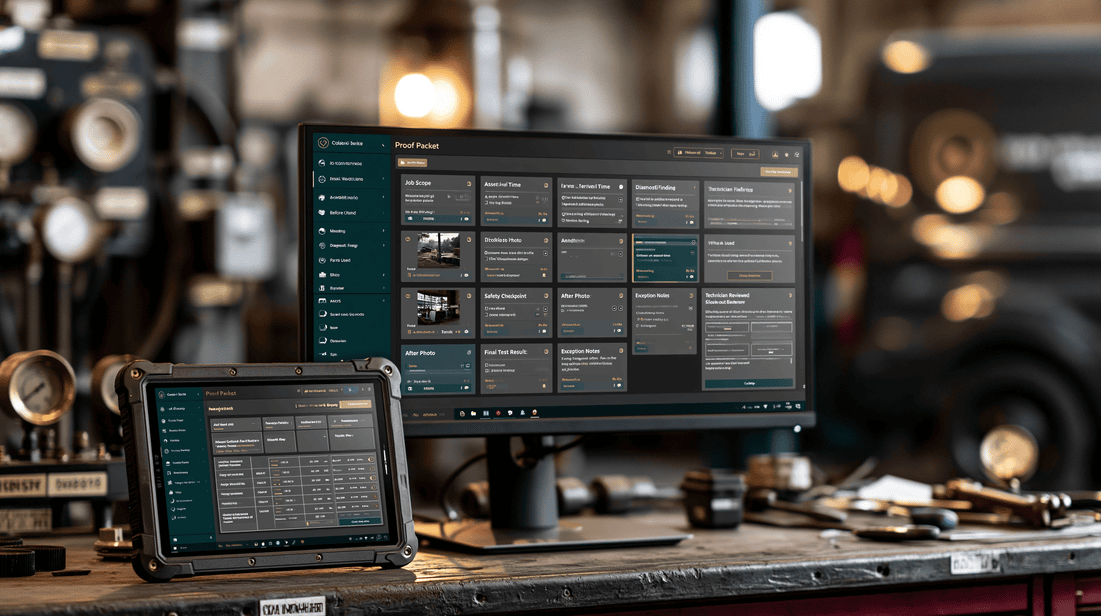
A proof packet is a complete, organized closeout record for a field job. It gives managers, customers, warranty teams, and back-office staff enough evidence to understand the work without needing to call the technician, reopen the job, or send someone back to the site.
A strong proof packet typically includes:
- Job scope and reason for visit
- Technician arrival, completion, and location context
- Asset or equipment identification
- Before photos or videos
- Diagnostic findings
- Measurements, readings, or test results
- Parts used or replaced
- Step-by-step work performed
- Safety or compliance checkpoints
- After photos or videos
- Final operational test evidence
- Customer signoff or acknowledgement
- AI-generated or technician-reviewed closeout summary
- Exceptions, unresolved issues, or recommended follow-up
The goal is simple: anyone reviewing the job later should be able to answer, “What happened, what proof do we have, and what should happen next?”
Why Traditional Job Closeout Records Fall Short
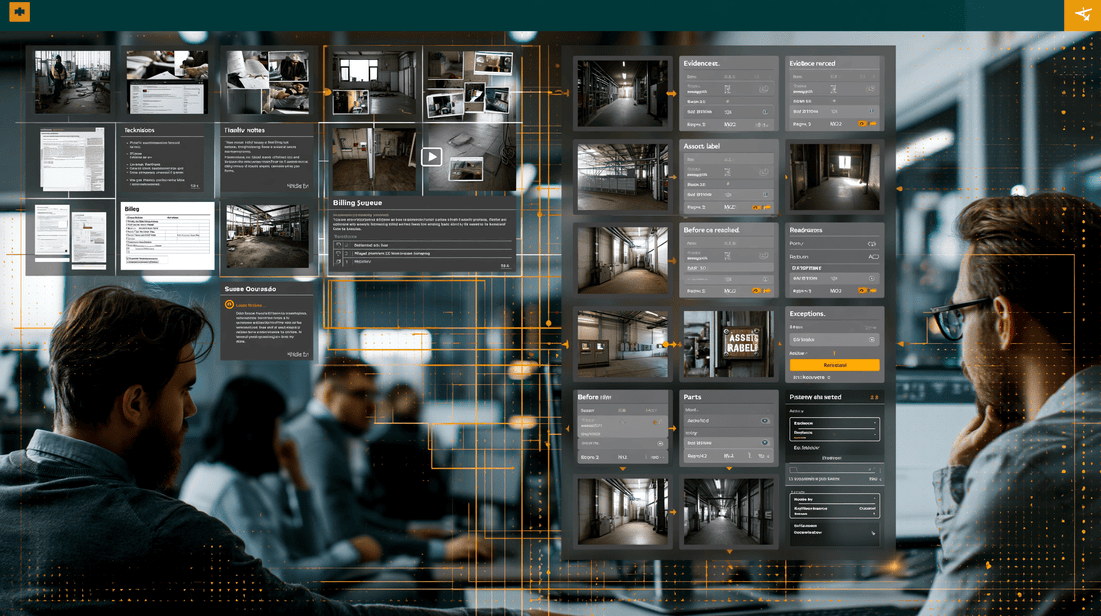
Most service organizations already collect some kind of closeout documentation. The problem is that the evidence is often inconsistent, incomplete, or hard to interpret.
Common closeout issues include:
- Photos are captured but not labeled or tied to specific work steps
- Notes are too short to support warranty or customer review
- Technicians document different jobs in different ways
- Dispatch cannot tell whether a callback is avoidable or valid
- Managers have to chase technicians for missing details
- Customers receive invoices without enough proof of work
- Compliance evidence is stored separately from the work order
- Back-office teams spend time interpreting field notes
This creates operational drag. It slows billing, increases disputes, weakens warranty review, and makes repeat visits harder to diagnose.
The issue is not usually technician effort. Many technicians are already moving quickly between jobs, dealing with site access, customer pressure, parts constraints, safety requirements, and unexpected field conditions. If documentation is not built into the workflow, it becomes an afterthought.
A proof packet makes evidence capture part of the work, not an extra task at the end.
The Business Case for Better Job Evidence
For executives and operations leaders, proof packets matter because they improve trust across the service lifecycle.
1. Fewer Ambiguous Closeouts
A vague closeout creates downstream questions. Was the issue fully resolved? Was the asset tested under load? Did the technician replace the right part? Were site conditions documented?
A proof packet turns a completed job into a reviewable job. Supervisors can see the evidence, not just the status.
2. Stronger Customer Communication
Customers increasingly expect proof, especially in commercial, facilities, utilities, industrial, HVAC, plumbing, electrical, telecom, and maintenance environments. They want to know what was done and why they are being billed.
A clear proof packet can support customer communication by showing before-and-after evidence, work performed, and final verification. This reduces confusion and helps customer success teams respond with confidence.
3. Better Warranty and Claims Review
Warranty teams need evidence. If a part fails, a repair is disputed, or a repeat visit is requested, the proof packet becomes the record of what happened.
Useful warranty evidence may include:
- Asset serial numbers
- Photos of the failed component
- Installation or replacement evidence
- Diagnostic readings before and after work
- Confirmation that required steps were followed
- Notes about environmental or site conditions
- Final test results
Without this evidence, warranty review often becomes a judgment call. With it, teams can make more consistent decisions.
4. Reduced Repeat-Visit Confusion
Not every repeat visit is preventable. Some are caused by intermittent issues, customer misuse, part availability, or changing site conditions. But when documentation is weak, every return visit is harder to understand.
A proof packet helps answer:
- Was the original issue resolved?
- Did the technician identify a related but separate issue?
- Were recommended repairs declined?
- Did the customer report a different symptom later?
- Were readings within acceptable range at closeout?
This allows supervisors to separate true callbacks from new work, incomplete work, or customer-side issues.
5. Faster Back-Office Processing
Billing, compliance, warranty, customer support, and operations teams all depend on field records. When those records are incomplete, the back office has to chase information.
Better proof packets can reduce internal rework by giving teams one trusted source of job evidence.
What a Good Proof Packet Should Include
A practical proof packet does not need to be complicated. It should be structured around the decisions your organization needs to make after the job.
Here is a useful framework.
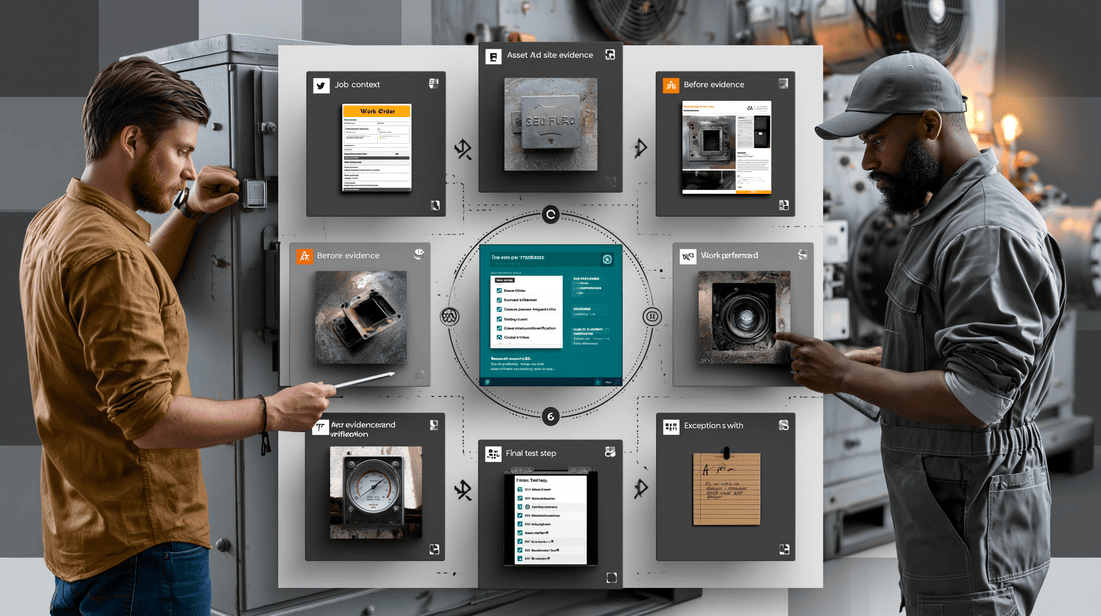
The 6-Part Proof Packet Framework

1. Job Context
Start with the basic facts:
- Customer or site name
- Work order number
- Technician or crew
- Date and time
- Location or asset area
- Problem reported
- Scope of work
This creates the foundation for the rest of the record.
2. Asset and Site Evidence
Field teams should capture enough evidence to confirm they worked on the right asset in the right location.
Examples include:
- Equipment nameplate photos
- Serial number or barcode scan
- Panel, unit, meter, or valve identification
- Site access photos where appropriate
- Asset condition on arrival
- Environmental or safety conditions
For utilities, facilities, and industrial teams, asset evidence is especially important because multiple assets may look similar or share the same area.
3. Before Evidence
Before evidence shows the starting condition. It is critical for disputes, warranty review, and supervisor coaching.
Examples:
- Damaged component
- Leak location
- Fault code
- Blocked drain line
- Burnt wiring or failed connector
- Pressure reading before repair
- Temperature reading before adjustment
- Equipment condition before cleaning or replacement
The best before evidence is specific, labeled, and tied to the work step.
4. Work Performed
The proof packet should show what the technician actually did.
This can include:
- Checklist steps completed
- Parts replaced
- Adjustments made
- Cleaning performed
- Firmware or configuration changes
- Safety steps completed
- Photos or short videos during key stages
This is where AI-assisted workflow guidance and AR-assisted instructions can help. Instead of relying on memory at the end of the job, technicians can be prompted to capture the right evidence at the right moment.
5. After Evidence and Verification
After evidence confirms the work was completed and tested.
Examples:
- Final installation photo
- Reassembled equipment
- Cleared fault code
- Normal operating reading
- Flow, pressure, voltage, temperature, or vibration measurement
- System test result
- Customer acknowledgement
This is one of the most important parts of the proof packet. It shows not only that work was performed, but that the technician verified the outcome.
6. Exceptions and Next Steps
A proof packet should not pretend every job is perfect. Field work is messy. Parts may be unavailable. Site access may be limited. Customers may decline recommended work. Related issues may be found.
Documenting exceptions protects both the technician and the business.
Examples:
- “Customer declined recommended replacement.”
- “Access to rooftop unit 3 was blocked.”
- “Temporary repair completed; permanent part required.”
- “Observed corrosion on adjacent line; follow-up recommended.”
- “System operational at departure, but intermittent fault may return.”
These notes are essential for dispatch planning, customer communication, and risk management.
Mid-Post CTA: See What a Proof Packet Looks Like
If your team is trying to standardize job evidence, it helps to review a concrete example.
View the Sample Proof Packet to see how field evidence, technician notes, images, readings, and closeout context can be organized into a trusted job record.
Warning Signs Your Team Needs Better Proof Packets
You may not need a new documentation approach for every job type. But if these problems are common, your closeout process is likely creating hidden operational cost.
Customers Frequently Ask for More Detail
If customers regularly ask what was done, why they were charged, or whether the issue was fully resolved, your job records may not be customer-ready.
Supervisors Have to Call Technicians After Closeout
If managers repeatedly contact technicians to clarify notes, photos, parts, or job status, the proof is not being captured at the point of work.
Repeat Visits Are Hard to Classify
If your team cannot easily determine whether a return visit is a callback, a new issue, a warranty item, or a customer-side problem, documentation is too thin.
Warranty Decisions Depend on Memory
If warranty review depends on technician recollection, customer statements, or incomplete notes, your team needs stronger evidence capture.
Photos Exist but Do Not Explain the Job
A camera roll is not a proof packet. Photos need structure, labels, sequence, and relationship to the work performed.
Billing Is Delayed by Missing Information
If invoices wait on technician notes, part confirmation, customer signoff, or proof of completion, job closeout is slowing cash flow.
Technician Workflow: How Proof Capture Should Work in the Field
The best proof packet workflow is simple enough for technicians to use under real field conditions.
A practical flow might look like this:
- Technician opens the assigned job on a mobile device.
- The workflow shows the required evidence for that job type.
- Technician scans or photographs the asset identifier.
- Technician captures before evidence and diagnostic readings.
- AR-assisted guidance or workflow cards support complex steps when needed.
- Technician captures evidence at key milestones, not just at the end.
- Computer vision helps identify missing photos, unreadable labels, or incomplete visual evidence.
- Technician records parts used and any exceptions.
- Technician captures final test evidence and after photos.
- The system creates a closeout summary for technician review.
- The proof packet is sent to managers, customers, warranty, or back-office teams as needed.
This workflow respects the technician’s time because it reduces retyping, late documentation, and follow-up calls.
Where AI Helps Without Adding Hype
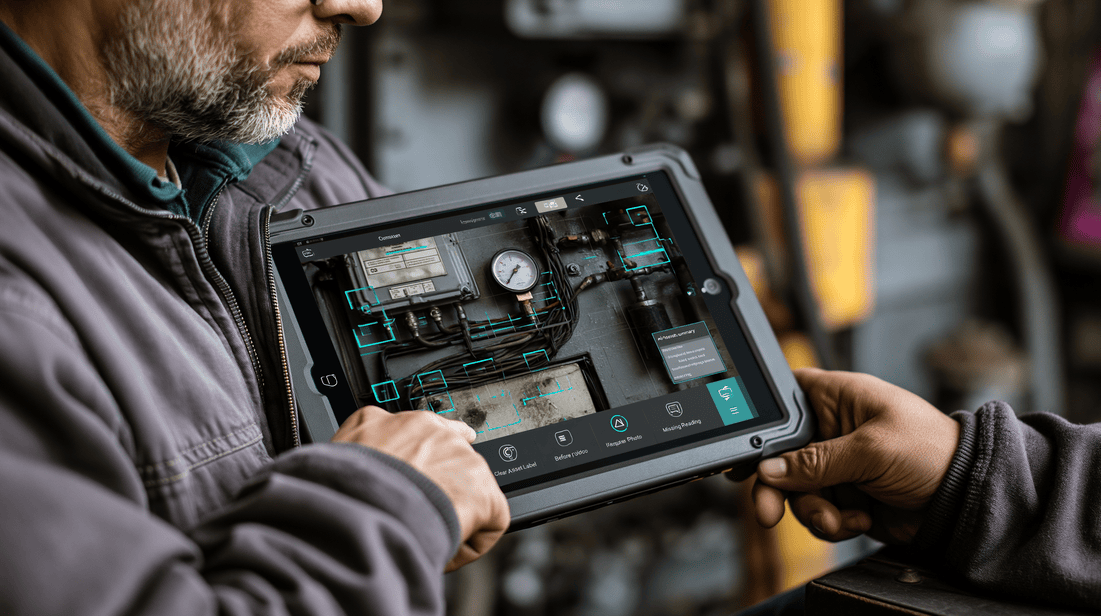
AI is useful in proof packets when it improves the quality, consistency, and usability of job evidence. It should not replace technician judgment. It should support the field team while creating better records for the business.
Practical uses include:
Evidence Prompts
AI can help prompt technicians to capture the right evidence for the job type. For example, a drain cleaning job, rooftop HVAC repair, utility inspection, and electrical panel replacement should not all require the same closeout steps.
Computer Vision Checks
Computer vision can help detect whether a required photo is missing, blurry, or does not show the expected asset detail. It can also help identify labels, components, gauges, and visual conditions when configured appropriately.
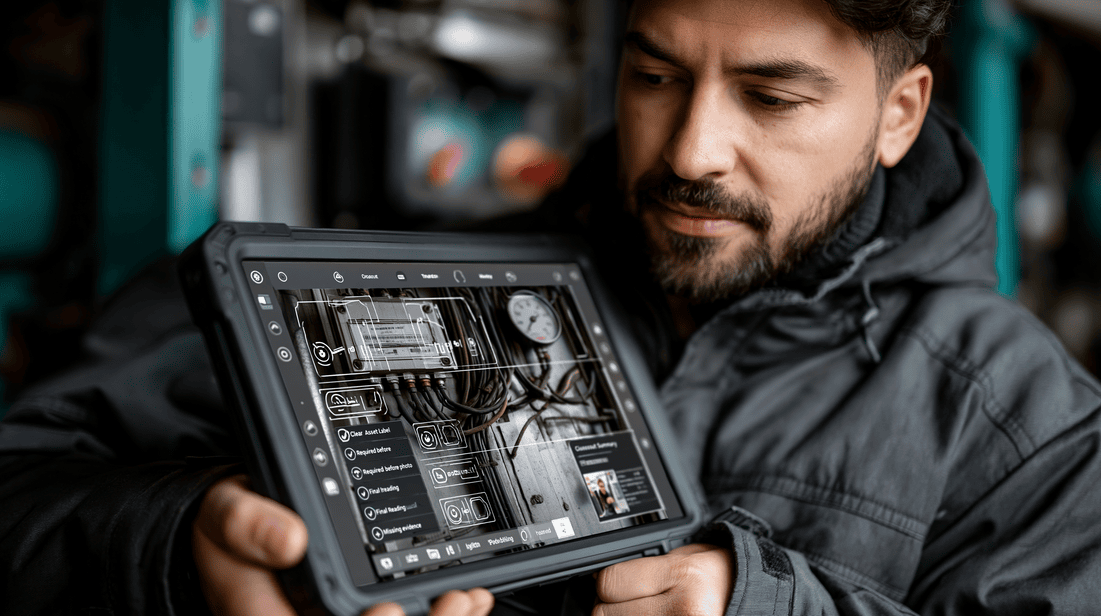
AR-Assisted Guidance
For complex procedures, AR-assisted guidance can help technicians follow steps in sequence and capture proof at key points. This is especially useful for less common tasks, high-risk assets, or jobs where compliance evidence matters.
Closeout Summaries
AI can help turn structured evidence into a readable closeout summary. The technician should be able to review and correct the summary before it becomes part of the official record.
Exception Detection
AI can flag missing required fields, inconsistent readings, or evidence gaps before the technician leaves the site. This is where the value is immediate: the team can fix the record while still on location.
Operational Examples by Team
Field Supervisors
A supervisor reviewing a repeat visit can compare the original proof packet with the new job. They can see the first technician’s findings, parts used, test results, and final condition. This makes coaching and root cause review more objective.
Warranty Teams
A warranty reviewer can confirm whether the failed component was documented, whether installation steps were followed, and whether the system passed final testing. This supports fairer and faster decisions.
Customer Success Teams
A customer success manager can respond to a customer concern with specific evidence instead of vague internal notes. They can share before-and-after context, technician summary, and documented next steps.
Dispatch Teams
Dispatch can use proof packets to plan follow-up work more effectively. If the first visit documented a declined repair, missing part, or access restriction, the next visit can be scheduled with better context.
Executives and Operations Leaders
Leadership can use proof packet standards to improve operational visibility. Instead of only tracking job status, they can evaluate closeout quality, documentation completeness, exception patterns, and repeat-visit drivers.
How to Implement Proof Packets Without Overloading Technicians
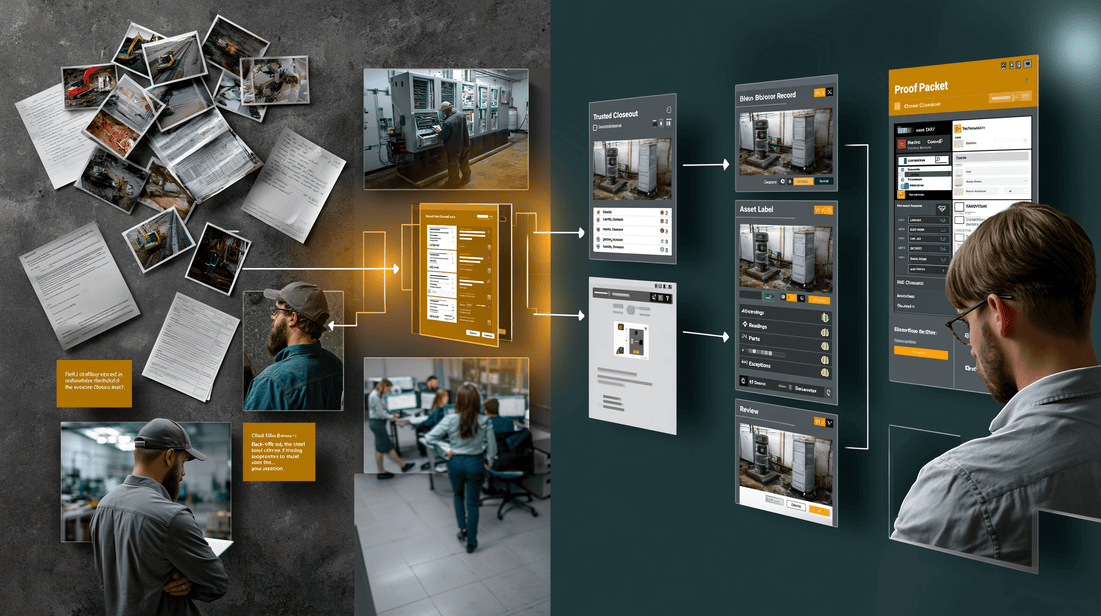
A proof packet program should be designed with field reality in mind. If it feels like extra admin work, adoption will suffer.
Start With High-Friction Job Types
Do not try to redesign every closeout workflow at once. Start with jobs where poor documentation causes the most pain.
Good starting points include:
- Warranty-sensitive repairs
- High-value commercial work
- Compliance-driven inspections
- Repeat-visit-prone job types
- Jobs with frequent customer disputes
- Complex equipment repairs
- Jobs requiring before-and-after proof
Define Minimum Evidence Standards
Create clear standards by job type. For example:
- Required asset photo
- Required before photo
- Required diagnostic reading
- Required part replacement evidence
- Required final test result
- Required customer acknowledgement
The goal is consistency, not excessive documentation.
Build Evidence Capture Into the Workflow
Technicians should not have to remember every documentation requirement. The workflow should guide them.
Use job-type templates, mobile prompts, scan steps, photo requirements, and closeout checks so evidence capture happens naturally during the work.
Make the Record Useful to Technicians Too
Technicians benefit when proof packets protect their work. A strong record can show that they followed the right process, documented site issues, verified the fix, and communicated exceptions.
Position proof packets as technician support, not technician surveillance.
Review and Improve the Template
After the first few weeks, review proof packets with supervisors and technicians. Ask:
- Which fields are useful?
- Which fields are unnecessary?
- Which evidence is often missing?
- Which prompts slow the technician down?
- Which job types need different templates?
A proof packet system should improve over time.
What to Measure

You do not need fake precision to measure whether proof packets are helping. Start with operational indicators your team already understands.
Useful measures include:
- Percentage of jobs with complete closeout evidence
- Number of manager follow-up calls after closeout
- Billing delays caused by missing field information
- Warranty reviews missing required documentation
- Repeat visits with unclear root cause
- Customer disputes tied to proof of work
- Technician time spent rewriting or clarifying notes
- Jobs closed with documented exceptions
These measures help connect documentation quality to real operational friction.
If you want to estimate the financial impact of better closeouts, repeat-visit reduction, and back-office time savings, you can also use the ROI Calculator.
Proof Packets and the Future of Field Documentation
Field service documentation is moving from simple notes toward structured operational evidence.
That shift matters because service work is increasingly complex. Customers expect transparency. Assets are more connected. Compliance requirements are more detailed. Technician knowledge is harder to scale. Back-office teams need better records. Leaders need visibility into what is really happening in the field.
A proof packet gives every team the same trusted record.
For CoSkip, this fits the role of an AI Co-Skipper in the Field: supporting technicians as they work, helping them capture the right evidence, guiding complex tasks, and turning job activity into proof that managers and customers can rely on.
Next Steps for Your Team
If you are evaluating proof packets, start with a simple operational exercise.
Choose five recently completed jobs and ask:
- Could a supervisor understand exactly what happened without calling the technician?
- Could a customer understand why the work was billable?
- Could warranty review make a decision based on the record?
- Could dispatch plan a follow-up without asking for more context?
- Does the record show final verification, not just completion?
If the answer is no, your team has an opportunity to improve job evidence.
You can also explore a structured rollout through the Pilot Program, especially if you want to test proof packets on a specific job type, region, or service line before expanding.
End-of-Post CTA: Try the Interactive Demo
Want to see how AI-assisted evidence capture, technician workflow guidance, and proof packet closeout can work in practice?
Try the Interactive Demo to explore how CoSkip helps field teams capture better job evidence and create trusted closeout records.
FAQ
What is a proof packet in field service?
A proof packet is a structured collection of job evidence that documents what was found, what work was performed, what was tested, and what was verified before closeout. It may include photos, videos, readings, notes, asset details, timestamps, parts, compliance steps, and customer acknowledgement.
Is a proof packet just a photo report?
No. Photos are part of a proof packet, but they are not enough by themselves. A strong proof packet organizes evidence around the job workflow and explains the context behind each piece of documentation.
How does a proof packet help reduce repeat visits?
A proof packet helps teams understand whether the first visit fully addressed the issue, whether a new issue appeared, whether a recommendation was declined, or whether required follow-up was already identified. This makes repeat visits easier to classify and manage.
Will proof packets create more work for technicians?
They can if implemented poorly. The best approach is to embed evidence capture into the technician workflow with prompts, templates, and mobile guidance. The goal is to reduce after-the-fact documentation and follow-up calls, not add unnecessary admin work.
Where can AI help with proof packets?
AI can help prompt technicians for required evidence, check for missing or unclear documentation, support AR-assisted guidance, summarize closeout notes, and flag evidence gaps before the technician leaves the site.
