
Repeat visits often come from missed steps, incomplete diagnostics, weak documentation, unavailable expertise, or poor handoffs. Learn how AI-guided workflows, AR-assisted guidance, computer vision, and proof capture can help field teams reduce repeat visits and produce more trusted job closeouts.
How AI-Guided Workflows Can Reduce Repeat Visits
Repeat visits are one of the clearest signs that field work is harder to manage than it looks on a dashboard.
A job may be marked complete, but the customer calls back. A technician may have fixed the visible issue, but missed the upstream cause. A dispatcher may have sent the closest available person, but not the right person with the right parts. A manager may review the notes and realize there is not enough evidence to know what actually happened on site.
For COOs, service leaders, dispatch leaders, and field managers, repeat visits create operational drag across the entire service chain. They consume capacity, frustrate customers, distort first-time-fix metrics, and make it harder to trust job closeouts. For technicians, they often feel like preventable rework caused by incomplete information, unclear procedures, missing documentation, or lack of support in the moment.
AI-guided workflows can help field teams reduce repeat visits by giving technicians better prompts, better visual guidance, better diagnostic structure, and better evidence capture while the work is happening. The goal is not to replace technician judgment. The goal is to support it, standardize the critical steps, and make every closeout easier to trust.
This article explains where repeat visits usually come from, how AI-guided workflows can reduce them, what a practical technician workflow looks like, and how to implement the approach without overwhelming the field.
Why repeat visits happen

Most repeat visits are not caused by one failure. They are usually the result of several small breakdowns across dispatch, diagnosis, execution, documentation, and customer handoff.
Common causes include:
- Incomplete diagnosis during the first visit
- Missing site history or asset information
- A technician skipping a critical verification step
- No visual confirmation of the issue before leaving
- Parts, tools, or access requirements not known in advance
- Notes that are too brief for the next person to understand
- Photos that are missing, blurry, or not tied to the right task
- Customer expectations not documented clearly
- Back-office teams unable to verify what was completed
- Junior technicians lacking guidance on less familiar equipment
These issues are especially common in HVAC, plumbing, electrical, utilities, telecom, facilities maintenance, industrial service, property maintenance, and contractor-based field operations. The work is physical, variable, and site-specific. Conditions change. Equipment ages. Customers describe symptoms differently. Technicians make judgment calls under time pressure.
Reducing repeat visits requires more than asking technicians to write better notes. It requires better workflow support at the point of work.
What AI-guided workflows actually mean in field operations

An AI-guided workflow is a structured job process that helps the technician complete the right steps, capture the right evidence, and make better decisions in the field.
In practical terms, it can include:
- Job-specific checklists based on asset type, issue type, customer, or work order history
- AI prompts that guide diagnosis and next-best actions
- AR-assisted guidance for complex procedures or unfamiliar equipment
- Computer vision support to identify equipment, read labels, confirm conditions, or flag missing evidence
- Required photo, video, or measurement capture at specific workflow points
- Exception prompts when a technician sees something outside the expected path
- Closeout validation before the job is marked complete
- Proof packets that package job evidence for managers, customers, compliance teams, and billing teams
The value comes from connecting guidance and proof capture directly to the technician workflow. Instead of documentation being a separate end-of-job chore, it becomes part of the work itself.
CoSkip is built around this idea: Your AI Co-Skipper in the Field. The platform helps field teams capture better evidence, guide technicians through complex work, and create trusted proof packets that make job closeouts easier to verify.
The repeat visit reduction framework
A practical way to reduce repeat visits is to map each callback or rework event to the point where the first visit failed. This helps teams avoid vague conclusions like technician error and find the operational cause.
Use this five-part framework.
1. Dispatch readiness
Ask: Did the technician arrive with enough information to succeed?
Warning signs:
- The work order description is vague
- Site access requirements were missing
- Asset information was outdated
- The customer symptom was not captured clearly
- The assigned technician lacked the needed skill, certification, or equipment
- The likely parts were not identified before dispatch
How AI-guided workflows help:
AI can review the work order, asset history, prior visits, technician notes, and known issue patterns to suggest what information is missing before dispatch. It can prompt dispatchers to confirm site access, asset model, safety conditions, required tools, or likely parts before the technician arrives.
For example, a facilities team responding to a recurring rooftop unit issue can use job history to prompt the dispatcher: confirm unit ID, prior fault codes, access ladder requirements, and whether filters or belts were changed in the last visit.
2. On-site diagnosis
Ask: Did the technician identify the actual cause, or only the visible symptom?
Warning signs:
- The fix addresses the symptom but not the root cause
- The technician did not capture baseline readings or site conditions
- A junior technician escalated too late or not at all
- Photos show the finished work but not the original issue
- Different technicians diagnose the same issue differently
How AI-guided workflows help:
AI-guided diagnostic flows can prompt technicians to capture readings, inspect related components, ask the right questions, and compare observed conditions against known failure patterns. Computer vision can assist by checking whether required images are usable and whether the correct asset or component is in frame.
This does not remove judgment. It reduces the chance that a critical diagnostic step is missed under pressure.
3. Work execution
Ask: Were the right repair or service steps completed in the right sequence?
Warning signs:
- Technicians rely heavily on memory for complex procedures
- Steps vary widely by technician
- Quality checks are skipped when schedules are tight
- Temporary fixes are not flagged clearly
- Safety or compliance steps are documented after the fact
How AI-guided workflows help:
Guided workflows can walk technicians through required steps based on job type, asset, and condition. AR-assisted guidance can help less experienced technicians understand component location, inspection points, and sequence without leaving the job site to search manuals or call a senior tech.
For example, an electrical service technician working through a panel inspection can be prompted to capture panel condition, verify labeling, document load readings, confirm torque checks where required, and capture final safe-state evidence before closeout.
4. Verification before departure
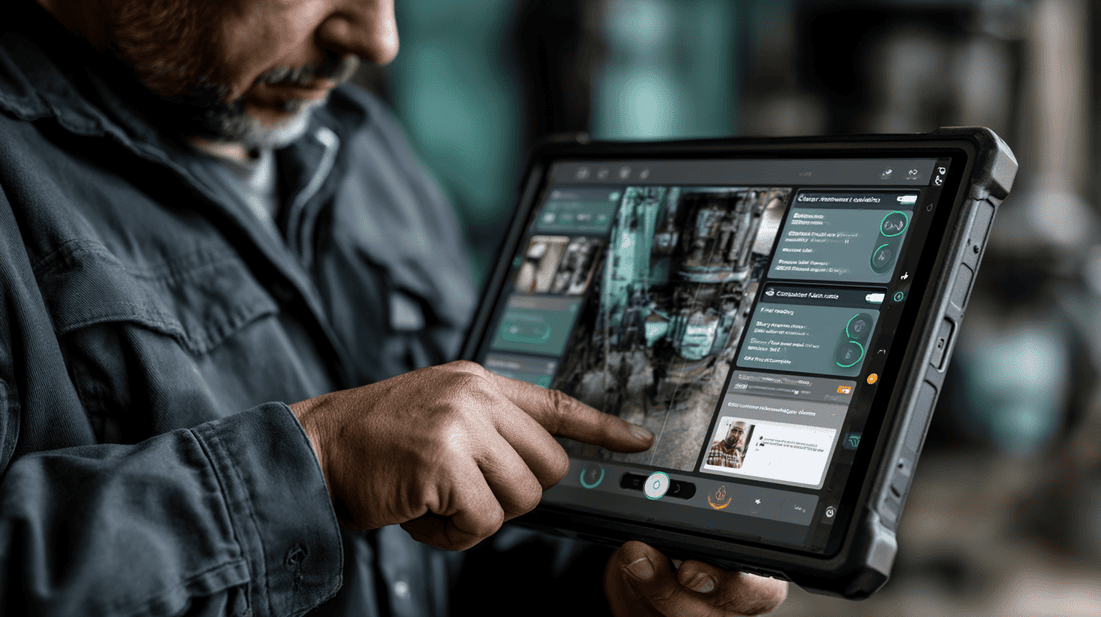
Ask: Did the technician prove the work was complete before leaving the site?
Warning signs:
- Completion is based only on technician notes
- No final test result is captured
- No before-and-after evidence exists
- Customer signoff is inconsistent
- Managers cannot tell whether the repair was verified
How AI-guided workflows help:
This is one of the most important points for reducing repeat visits. A workflow can require final verification before the technician can close the job. That might include photos, videos, readings, meter values, pressure tests, fault-code clearance, customer acknowledgement, or a short technician summary.
Computer vision can help confirm that required evidence is not missing or unusable. AI can prompt the technician if the proof packet is incomplete before they leave the site.
A simple example: for a plumbing repair, the workflow may require a before photo, repair photo, post-repair leak check video, pressure reading, and customer-facing summary. If the leak check video is missing, the workflow flags it before closeout.
5. Closeout and handoff
Ask: Can the next person understand what happened without calling the technician?
Warning signs:
- Job notes say complete but do not explain what was done
- Photos are not labeled or tied to tasks
- The back office has to chase technicians for details
- Billing disputes require manual reconstruction
- Follow-up work is not separated from completed work
How AI-guided workflows help:
AI can organize captured evidence into a structured proof packet. That packet can include issue summary, diagnostic steps, technician actions, before-and-after media, measurements, parts used, exceptions, customer acknowledgement, and recommended follow-up.
This makes the closeout more useful to managers, dispatchers, customers, compliance teams, and billing teams. It also gives the next technician better context if additional work is needed.
You can see how a structured closeout can look in a sample proof packet.
What a technician workflow can look like
Here is a practical example of an AI-guided workflow for a service call where the goal is to reduce repeat visits.
Step 1: Pre-arrival briefing
Before the technician arrives, the workflow summarizes:
- Customer complaint
- Asset history
- Recent visits
- Known site constraints
- Likely failure points
- Required safety checks
- Suggested tools or parts
- Photos or notes from prior jobs
The technician starts with context instead of piecing together information from old notes, dispatch comments, and memory.
Step 2: Site and asset confirmation
On arrival, the technician captures:
- Site photo or location confirmation
- Asset tag, serial plate, or equipment label
- Access condition
- Safety condition
- Initial customer observation
Computer vision can help confirm that the asset label is readable and that the correct equipment is being serviced.
Step 3: Guided diagnosis
The workflow prompts the technician through required checks based on the issue type. For example:
- What symptom is present now?
- Is the failure intermittent or constant?
- What readings are required?
- What related components should be inspected?
- Are there signs of previous repair, damage, corrosion, blockage, overheating, or misconfiguration?
If the technician selects an exception, the workflow can branch to a different diagnostic path or prompt escalation.
Step 4: Repair or service guidance
The technician receives step-by-step guidance for the selected action. This may include:
- Required safety steps
- Parts verification
- Procedure checklist
- AR-assisted visual reference
- Photo or video capture at specific milestones
- Quality checks before reassembly
This is especially useful for mixed-skill teams, new hires, seasonal technicians, subcontractors, and teams covering many asset types.
Step 5: Completion verification
Before closeout, the workflow requires evidence that the issue has been resolved or clearly documents why it has not been fully resolved.
This might include:
- Final operating reading
- Before-and-after images
- Test result
- Cleared fault code
- Video showing normal operation
- Customer acknowledgement
- Follow-up recommendation
The technician is not simply asked to say the job is done. The workflow helps them prove what was done.
Step 6: Proof packet generation
The system organizes the evidence into a proof packet for review, billing, customer communication, warranty support, compliance, and future visits.
A good proof packet should answer:
- What was the issue?
- What did the technician inspect?
- What work was completed?
- What evidence confirms completion?
- What parts or materials were used?
- What exceptions or limitations were found?
- What follow-up is recommended?
This gives the operation a more reliable record than a short text note and a folder of unlabeled photos.
Mid-post CTA: calculate the operational value
If repeat visits are consuming capacity, the first step is to estimate the operational impact. Use CoSkip's Calculate Field AI ROI tool to model how better guided workflows, proof capture, and closeout documentation could affect your field operation.
Where AI makes the biggest difference
AI is most useful when it reduces friction in the field and improves operational visibility. For repeat visit reduction, the highest-value areas are usually the following.
Better prompts at the right time
A generic checklist is easy to ignore. A job-specific prompt is harder to miss. AI can use job type, asset information, customer history, and technician input to surface the next most useful step.
For example, if a technician is closing a recurring equipment issue without capturing final operating readings, the system can prompt for the missing verification before closeout.
Stronger evidence capture
Technicians are often asked to capture photos, but not all photos are useful. AI and computer vision can help flag missing, blurry, duplicate, or irrelevant evidence. It can also help ensure that required proof is tied to the correct task or asset.
This matters because poor evidence creates downstream work. Managers have to call technicians. Billing teams have to ask for clarification. Customers question what was done. Dispatchers lack useful history for future visits.
More consistent closeouts
Repeat visits often reveal that the first job was not closed out with enough detail. AI can help structure notes into consistent summaries, organize evidence, and highlight unresolved conditions.
A stronger closeout does not just help the office. It helps the next technician avoid starting from zero.
Faster escalation
When a technician hits an unfamiliar condition, guided workflows can prompt escalation earlier. The technician can share structured evidence with a supervisor or remote expert instead of trying to describe the issue verbally.
AR-assisted guidance and visual annotations can help experts point to specific components, inspection areas, or next steps. This can reduce unnecessary return visits caused by delayed escalation.
Better coaching and training loops
When workflows capture where technicians get stuck, which steps are skipped, and which closeouts are incomplete, service leaders can coach with specifics.
Instead of saying, improve documentation, a manager can say:
- Capture the asset label before opening the unit
- Record final pressure readings before closeout
- Use the recurring issue branch when the customer reports the same symptom twice
- Add a follow-up recommendation when access limits the repair
That kind of coaching is more actionable and fair to the technician.
Warning signs that your operation needs guided workflows
You may be ready for AI-guided workflows if you see these patterns:
- Repeat visits are clustered around certain job types, assets, sites, or technicians
- Technicians close jobs with minimal notes because documentation takes too long
- Dispatchers regularly call technicians to clarify what happened on prior visits
- Managers cannot verify whether required checks were completed
- Customers dispute completed work because proof is weak
- Senior technicians are overloaded with calls from the field
- New technicians take too long to become productive
- Compliance documentation is inconsistent
- Photos are captured but not organized or useful
- The same problems return without a clear root cause trail
These are not just technology problems. They are workflow design problems. AI helps when it is applied to the exact points where work breaks down.
How to implement without creating field resistance
Technicians will resist any system that feels like surveillance, busywork, or a replacement for their expertise. Implementation needs to be practical and technician-aware.
Start with one high-friction workflow
Do not start by digitizing every process. Pick one repeat-visit-heavy workflow, such as:
- No-cooling HVAC calls
- Recurring drain line blockages
- Electrical panel troubleshooting
- Generator inspection
- Pump maintenance
- Telecom signal issue
- Facilities work orders for recurring leaks
- Utility asset inspection
Define what proof is required, what diagnostic steps are often missed, and what a complete closeout should include.
Involve technicians early
Ask experienced technicians:
- What information do you wish you had before arrival?
- What steps do newer technicians often miss?
- What evidence proves the job was done correctly?
- What photos are actually useful?
- What documentation is unnecessary?
- When should a technician escalate?
The best guided workflows are built from field reality, not conference room assumptions.
Keep the workflow short where the work is simple
Not every job needs a long checklist. A strong system should adjust the workflow based on risk, complexity, asset type, and issue type.
For simple work, keep prompts lightweight. For high-risk, high-cost, regulated, or repeat-visit-prone work, require stronger verification.
Make proof capture part of the job, not an afterthought
If technicians have to reconstruct documentation at the end of the day, quality will suffer. Capture should happen naturally at the point where the work is being performed.
For example:
- Capture the asset label before diagnosis
- Capture the failed part before replacement
- Capture the reading during testing
- Capture final operation before leaving
This creates better evidence and reduces end-of-day admin work.
Review closeouts with the field
Use early proof packets in team reviews. Show what good documentation looks like. Highlight examples where strong evidence prevented confusion, supported billing, or helped a follow-up technician.
The message should be simple: better proof protects the technician, supports the customer, and helps the operation learn.
Metrics to watch
Avoid focusing only on broad repeat visit rate at first. It is important, but it can hide useful details.
Track metrics such as:
- Repeat visits by job type
- Repeat visits by asset type or site
- Repeat visits by root cause category
- Jobs closed without required evidence
- Jobs reopened due to incomplete documentation
- Technician escalations by workflow step
- Average time to closeout
- Percentage of closeouts with complete proof packets
- Number of back-office clarification requests
- Customer disputes related to proof or scope
These metrics help you see whether guided workflows are reducing operational friction, not just adding steps.
If you are assessing readiness, CoSkip's field AI readiness resource can help you evaluate workflow maturity, data quality, evidence capture practices, and rollout priorities.
Common mistakes to avoid
Mistake 1: Turning every workflow into a long checklist
Long checklists can create fatigue. Use required steps where risk is high, proof is needed, or repeat visits are common. Keep low-risk work simple.
Mistake 2: Ignoring technician context
A workflow designed without technician input will miss practical details. Field teams know which prompts are useful and which ones will slow the job down.
Mistake 3: Capturing evidence without organizing it
A pile of photos is not a proof packet. Evidence needs to be tied to the asset, task, step, issue, and outcome.
Mistake 4: Treating AI as a magic diagnostic engine
AI should support diagnosis, not pretend to know everything. The system should prompt, structure, verify, and escalate. Technician judgment remains central.
Mistake 5: Measuring only speed
A faster visit that leads to a callback is not a better visit. Measure completion quality, evidence quality, and repeat visit reduction alongside time on site.

A practical rollout plan
Here is a straightforward way to start.
Phase 1: Identify repeat-visit patterns
Review recent callbacks, rework, warranty visits, and reopened jobs. Group them by job type, site, asset, cause, technician notes, and missing evidence.
Phase 2: Select one workflow
Choose a workflow where repeat visits are painful and the completion criteria can be clearly defined.
Phase 3: Define required evidence
Decide what proof is needed at each stage: before work, diagnosis, repair, test, and closeout.
Phase 4: Build the guided workflow
Create prompts, branching logic, verification steps, AR-assisted references if useful, and escalation triggers.
Phase 5: Pilot with a small team
Use a group of experienced and newer technicians. Gather feedback on what helps, what slows them down, and what should be adjusted.
Phase 6: Review proof packets
Look at completed jobs. Can a manager, dispatcher, customer, or future technician understand what happened? If not, refine the workflow.
Phase 7: Expand carefully
Roll out to additional job types only after the first workflow is working in the field.
Why proof packets matter for reducing repeat visits
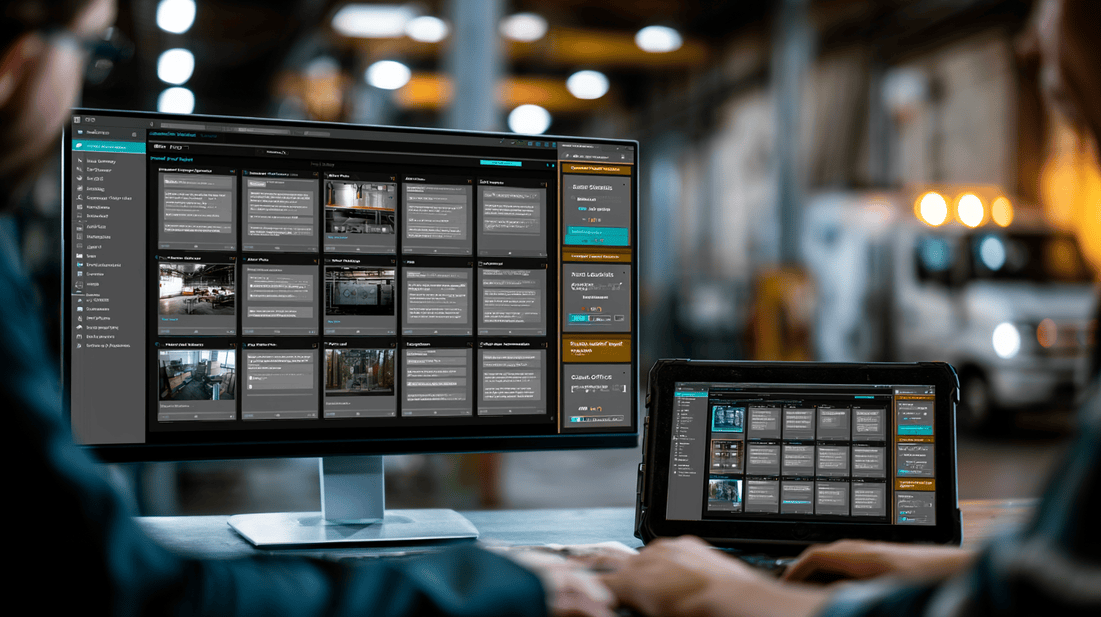
Repeat visits are easier to prevent when the organization can trust the closeout.
A strong proof packet gives everyone a shared record:
- The technician has protection against unclear disputes
- The manager can verify quality without being on site
- The dispatcher has better history for future scheduling
- The customer sees what was completed
- The back office has support for billing and warranty documentation
- The next technician has context if follow-up work is needed
This is where AI-guided workflows and evidence capture come together. The workflow helps the technician do and document the work correctly. The proof packet turns that field activity into a usable operational record.
Final thoughts

To reduce repeat visits, field teams need more than better intentions and longer notes. They need workflows that guide the right actions, capture the right evidence, verify completion before departure, and make closeouts easier to trust.
AI-guided workflows can help service organizations standardize critical steps without stripping away technician judgment. AR-assisted guidance can support complex work. Computer vision can improve evidence quality. Proof packets can give managers, customers, and back-office teams a clearer record of what happened on site.
The best starting point is not a broad AI transformation project. It is one repeat-visit-heavy workflow where better guidance and better proof can make the work more reliable.
End-of-post CTA: see the workflow in action
Want to see how guided workflows, evidence capture, and proof packets can support field teams? Try the Interactive Demo to explore how CoSkip works as your AI Co-Skipper in the Field.
FAQ
How do AI-guided workflows reduce repeat visits?
They help technicians follow the right diagnostic steps, capture required evidence, verify completion before leaving the site, and create a clearer closeout record. This reduces missed steps, incomplete documentation, and avoidable handoff problems.
Do AI-guided workflows replace technician experience?
No. They support technician experience by providing structure, prompts, references, and verification. Experienced technicians still make judgment calls. The workflow helps ensure critical steps and proof are not missed.
What is the difference between a checklist and an AI-guided workflow?
A checklist is usually static. An AI-guided workflow can adapt based on job type, asset history, technician input, captured evidence, and exceptions found on site. It can also help organize documentation into a proof packet.
Where should a service organization start?
Start with one workflow that has a high number of callbacks, rework events, disputed closeouts, or incomplete documentation. Build the workflow with technician input and define what proof is required before closeout.
How does proof capture help with callbacks?
Proof capture creates a reliable record of the issue, work performed, test results, and final condition. It helps managers verify completion, supports customer communication, and gives future technicians better context if follow-up work is needed.
