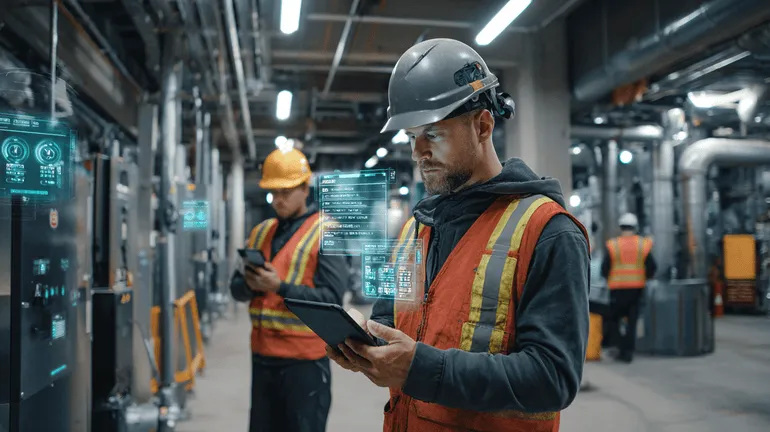
A practical guide for field operations leaders evaluating field AI, including readiness signals, technician workflow fit, proof capture, AR-assisted guidance, computer vision, and implementation steps.
What Field Teams Should Know Before Adopting AI
AI is moving into field operations quickly, but field teams should be careful about treating it like another back-office software rollout. The work is different in the field. Technicians operate under time pressure, in inconsistent environments, with incomplete information, poor connectivity, customer scrutiny, safety requirements, and real consequences when documentation is weak or a job has to be repeated.
For COOs, service executives, dispatch leaders, facilities operators, utilities, contractors, and industrial teams, the question is not whether AI is interesting. The real question is whether field AI can improve the work without slowing technicians down or creating another system people avoid.
The best field AI initiatives start with operational friction, not technology curiosity. They look at missed steps, repeat visits, incomplete closeouts, unclear photos, tribal knowledge, inconsistent troubleshooting, customer disputes, warranty gaps, compliance documentation, and the handoff between field teams and the back office.
This guide covers what field teams should know before adopting AI, how to evaluate readiness, where AI can help, where it can fail, and how to start with a practical implementation plan.
What field AI actually means
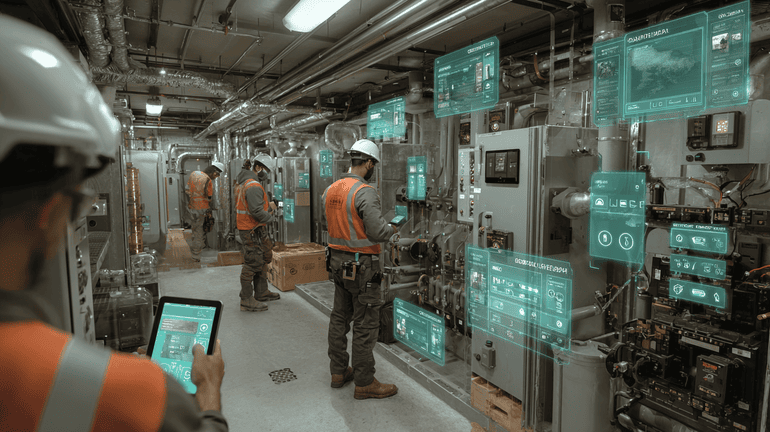
Field AI is the use of artificial intelligence inside field workflows, not just inside dashboards or office reports. It supports the people doing work on-site and the teams coordinating that work.
In practical terms, field AI can help with:
- Guiding technicians through complex procedures or troubleshooting steps
- Capturing better job evidence through photos, videos, notes, forms, and sensor readings
- Using computer vision to identify missing proof, unclear images, equipment labels, unsafe conditions, or incomplete documentation
- Providing AR-assisted guidance so technicians can follow visual instructions in context
- Summarizing job details for managers, customers, dispatch, billing, warranty, and compliance teams
- Creating proof packets that show what was done, where, when, by whom, and with what evidence
- Helping newer technicians perform closer to standard operating expectations
- Reducing repeat visits caused by missed documentation, wrong parts, unclear scope, or incomplete diagnosis
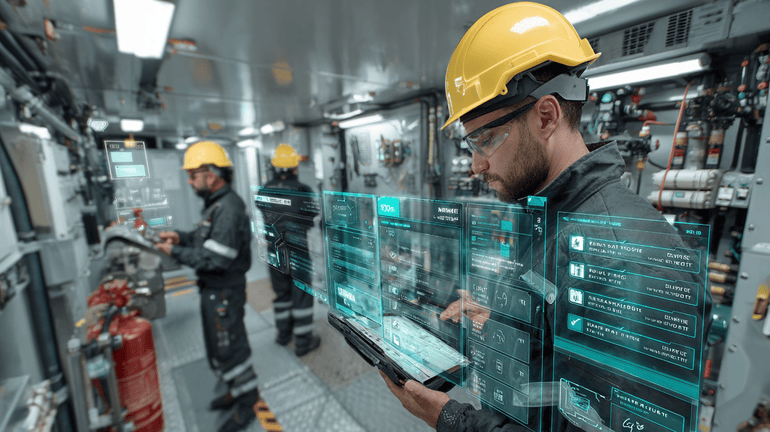
The key point: field AI should support the job as it happens. If it only creates reports after the fact, it may help leadership but it will not solve the field-level workflow problems that cause operational friction.
Start with the field problem, not the AI feature
Before adopting AI, leaders should define the operational problem in plain language. Avoid starting with vague goals like become AI-enabled or automate the field. Those goals do not help dispatchers or technicians make better decisions.
Better starting points include:
- We lose time because job notes are inconsistent and managers need to call technicians for clarification.
- We have repeat visits because the first visit does not always capture enough evidence to diagnose or quote correctly.
- Our senior technicians are overloaded because newer technicians need help on complex jobs.
- Customers question invoices because they cannot see clear proof of work.
- Compliance closeouts take too long because documentation is scattered across photos, forms, emails, and technician notes.
- Dispatch lacks real-time confidence in whether a job is complete, blocked, or needs escalation.
Once the problem is specific, you can evaluate whether AI, AR-assisted guidance, computer vision, workflow support, or proof capture can help.
The readiness question: are your workflows clear enough for AI to support them?
AI performs best when it is attached to a defined workflow. It does not need perfection, but it does need enough structure to understand what good looks like.
Ask these questions before adopting field AI:
- Do we know what evidence is required for our most common job types?
- Do technicians follow consistent closeout steps, or does each person document the job differently?
- Are photos labeled, time-stamped, location-aware, and tied to the right asset or work order?
- Can managers quickly tell whether the job is complete, partially complete, blocked, or needs review?
- Do dispatch, billing, compliance, and customer service teams trust the information coming from the field?
- Are our escalation paths clear when a technician is uncertain?
- Do we know which repeat visits are caused by technical complexity versus poor documentation or missed steps?
If the answer is no across most of these questions, field AI can still help, but the first phase should focus on workflow standardization and proof capture. AI is strongest when it reinforces a practical operating model.
If you want a structured starting point, use the Field AI Readiness Score to assess where your team is ready, where the gaps are, and what to prioritize first.
Where field AI creates the most practical value
Field AI is most useful when it improves the quality, speed, or reliability of work already happening in the field. Below are the areas where leaders should look first.
1. Technician guidance during the job
Many field teams depend on experienced technicians to carry process knowledge in their heads. That works until the team grows, senior techs retire, new markets open, or job complexity increases.

AI-guided workflows can help technicians by presenting the right steps at the right time. For example:
- A facilities technician troubleshooting a rooftop unit can be guided through inspection points, photo requirements, and likely next checks.
- A utility crew can receive step-by-step documentation prompts for asset inspection and safety verification.
- A drain or plumbing technician can capture before, during, and after evidence tied to the service location and customer issue.
- An industrial maintenance technician can follow equipment-specific closeout steps and flag abnormal readings.
The goal is not to replace technician judgment. The goal is to reduce missed steps, improve consistency, and make expert knowledge easier to apply in the field.
2. AR-assisted guidance for complex work
AR-assisted guidance can be useful when technicians need visual context. This might include equipment identification, component location, installation sequence, inspection zones, or visual confirmation of completed steps.
The practical value of AR is not that it looks futuristic. It is that it can reduce ambiguity.
Examples include:
- Showing where to capture a nameplate photo on a piece of equipment
- Highlighting required inspection points on a panel, unit, valve, or asset
- Displaying a workflow card while the technician keeps context on the equipment
- Supporting newer technicians with visual references instead of long PDF manuals
For AR to work, the workflow still matters. If the underlying procedure is unclear, AR only makes the confusion more visual.
3. Computer vision for evidence quality
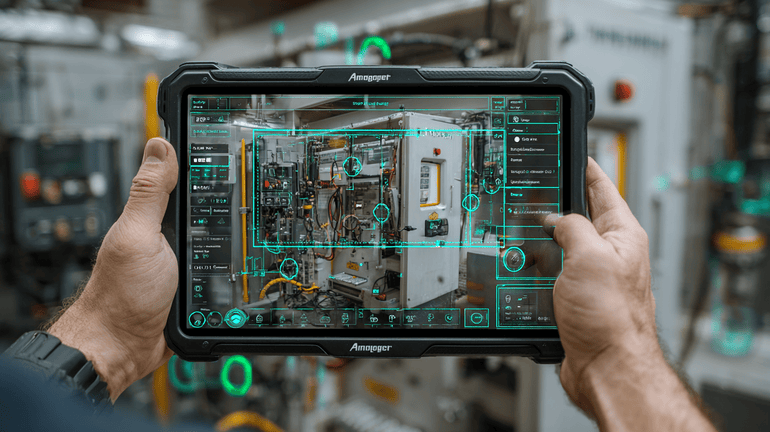
Computer vision can help field teams improve documentation quality. This is especially important when photos are used for billing, warranty, compliance, customer communication, or internal review.
Field teams often collect photos, but not all photos are useful. A closeout folder may include blurry images, duplicate angles, missing asset tags, no before photo, no after photo, or pictures that do not prove the required work.
Computer vision can help identify issues such as:
- Blurry or dark images
- Missing required angles
- Missing asset labels or serial numbers
- Incomplete before and after sequences
- Photos that do not match the expected job type
- Safety or site conditions that should be documented
- Evidence gaps before the technician leaves the site
The important part is timing. Finding missing evidence after the technician has left the site is expensive. The better approach is to prompt for corrections while the technician is still there.
4. Proof packets for trusted job closeout
A proof packet is a structured package of job evidence that can be reviewed by managers, customers, compliance teams, billing, warranty teams, or auditors. It should make the job easier to trust.
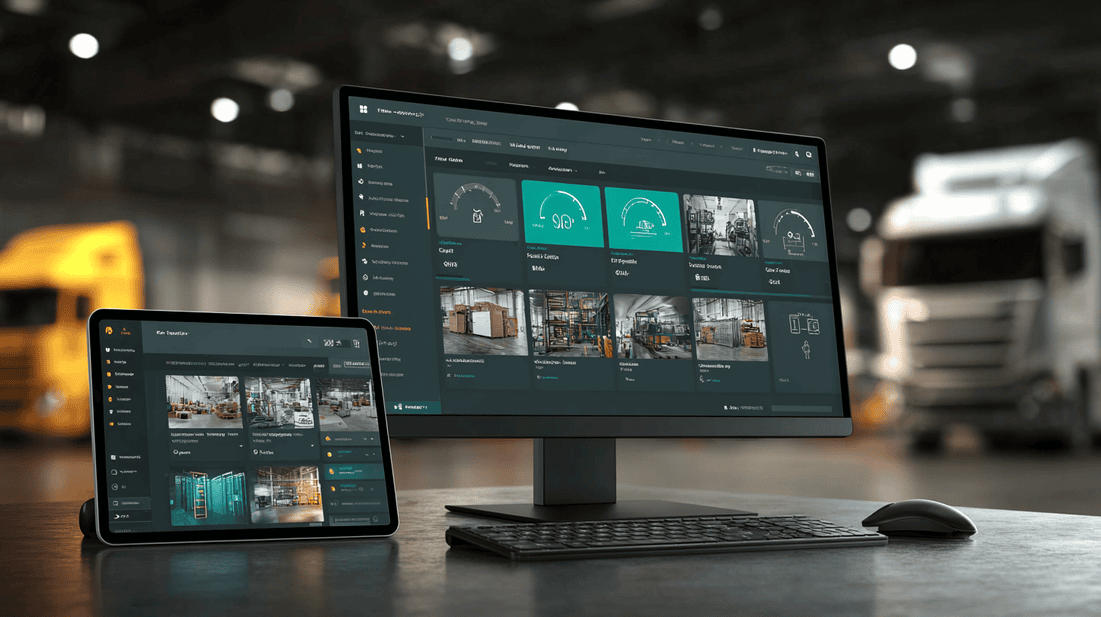
A strong proof packet may include:
- Work order details
- Technician identity and timestamps
- Location or asset information
- Required photos and videos
- Before and after evidence
- Checklist completion
- Parts used
- Notes and observations
- Exceptions or unresolved issues
- Customer signoff if required
- AI-generated summary reviewed by the technician or manager
Proof packets are valuable because they reduce ambiguity. Instead of chasing information across texts, photos, emails, and notes, the organization has one trusted record of what happened.
You can review what this can look like in practice with a sample proof packet.
5. Better handoffs between field, dispatch, and back office
Many field service problems are actually handoff problems. The technician knows something that dispatch does not. Dispatch knows something billing does not. The customer expects an update that customer service cannot confidently provide.
Field AI can help by turning raw job activity into structured information:
- A technician captures photos and notes during the job.
- AI checks whether required evidence is missing.
- The technician confirms the job summary.
- Dispatch sees whether the job is complete, blocked, or needs follow-up.
- Billing receives clean documentation.
- Customer service has a clear explanation and proof.
This is where field AI becomes operationally useful. It does not just generate text. It improves the quality of the information moving through the business.
Mid-post CTA: assess your field AI readiness
Before you choose tools or launch a pilot, assess whether your field workflows, documentation practices, and closeout processes are ready for AI.

Take the Field AI Readiness Score to identify where your operation is prepared, where risk remains, and which use cases should come first.
Warning signs before adopting field AI
Not every organization is ready to deploy AI into the field immediately. Some warning signs should be addressed before scaling.
Warning sign 1: the field team sees AI as surveillance
If technicians believe AI is being introduced only to monitor them, adoption will suffer. Leaders need to explain how AI reduces rework, protects technicians with better proof, improves escalation, and helps teams get credit for work done correctly.
Good messaging sounds like this:
- We want to reduce callbacks caused by missing documentation.
- We want to make closeout easier and more consistent.
- We want customers and managers to trust your work without extra phone calls.
- We want newer technicians to have better support in the field.
Poor messaging sounds like this:
- We are using AI to make sure everyone is working.
- This will automatically grade every technician.
- The system will decide whether the job was done right.
Technician trust matters. AI should be positioned as a field support tool, not a punishment engine.
Warning sign 2: job closeout is already too complicated
If technicians already complain that closeout takes too long, adding AI prompts without simplifying the workflow can make things worse.
Before adding AI, review the closeout process:
- Which fields are truly required?
- Which photos are necessary for proof?
- Which notes can be generated from structured inputs?
- Which steps can be prefilled from the work order?
- Which tasks can be moved out of the technician workflow?
AI should reduce friction, not add a second layer of administration.
Warning sign 3: leadership wants automation before standardization
Some leaders want AI to automate messy processes. That is risky. AI can help identify patterns and support decisions, but if every crew documents work differently, automation will produce inconsistent outputs.
Start with job types that have repeatable evidence requirements. For example:
- Preventive maintenance inspections
- Emergency repair documentation
- Installation closeouts
- Warranty claim documentation
- Compliance inspections
- Facility condition assessments
These workflows are easier to structure and measure.
Warning sign 4: no one owns the field AI rollout
A successful field AI initiative needs an operational owner. IT may support integration and security. Finance may help evaluate ROI. But field operations should own the workflow design and adoption plan.
The owner should be able to answer:
- Which job types are in scope?
- Which technician groups will pilot first?
- What does a successful closeout look like?
- What evidence is required?
- What systems need to receive the output?
- What feedback loop will be used with technicians?
Without ownership, AI pilots drift.
A practical field AI adoption framework
Use this framework to move from interest to implementation.
Step 1: Pick one high-friction workflow
Do not start with every job type. Choose one workflow where better guidance, evidence, or closeout would create measurable operational value.
Strong pilot candidates include:
- Jobs with frequent repeat visits
- Jobs with customer disputes over scope or completion
- Jobs that require detailed proof for billing or compliance
- Jobs where newer technicians often need support
- Jobs with inconsistent photo documentation
- Jobs where managers spend too much time reviewing or clarifying notes
Step 2: Define what good evidence looks like
For the selected job type, create a simple evidence standard.
For example:
- Required before photo
- Required equipment label or asset tag photo
- Required issue photo or video
- Required repair or completion photo
- Required readings or measurements
- Required notes for exceptions
- Required customer or site confirmation if applicable
This evidence standard becomes the foundation for AI prompts, computer vision checks, and proof packet generation.
Step 3: Map the technician workflow
Walk through the job from dispatch to closeout. Identify where AI can support the technician without interrupting the work.
Consider:
- What information does the technician need before arrival?
- What should be captured on arrival?
- What steps should be guided during diagnosis or service?
- What evidence should be checked before the technician leaves?
- What summary should be created after completion?
- What should be sent to dispatch, billing, customer service, or compliance?
This prevents AI from becoming a detached feature. It becomes part of the job flow.
Step 4: Keep humans in the loop
For field operations, human review is not a weakness. It is often necessary.
AI can draft summaries, check evidence, recommend next steps, or flag missing documentation. But technicians and managers should be able to confirm, correct, or override outputs.
This is especially important for:
- Safety-related work
- Compliance documentation
- Warranty decisions
- Customer-facing summaries
- Diagnostics and repair recommendations
- High-value assets or critical infrastructure
Field AI should support accountable decisions, not hide them.
Step 5: Measure operational impact without fake precision
Avoid vague AI success metrics. Track practical field outcomes instead.
Useful measures include:
- Reduction in incomplete closeouts
- Fewer manager follow-up calls for missing information
- Faster job review time
- Better first-visit documentation quality
- Fewer repeat visits caused by missing proof or missed steps
- Improved technician adoption of standard workflows
- Better billing or warranty documentation completeness
- Faster customer response with trusted job evidence
If you want to model possible business impact, use the ROI calculator as a starting point. Treat it as an operational planning tool, not a promise of guaranteed results.
Operational examples by team type
For service contractors
A contractor may use field AI to guide technicians through installation closeouts. The system prompts for required photos, checks whether key evidence is missing, drafts a closeout summary, and packages the proof for customer approval and internal billing.
The value is not just faster paperwork. It is fewer disputes, clearer scope documentation, and less time spent reconstructing what happened.
For facilities teams
A facilities team may use AI-guided inspections for recurring maintenance. Technicians capture asset-specific evidence, follow required inspection points, and flag exceptions. Managers receive structured proof packets instead of scattered notes.
This helps facilities leaders understand asset condition, technician workload, and unresolved issues across sites.
For utilities and infrastructure teams
Utilities may use field AI to improve inspection consistency. Computer vision can help check whether required asset photos are captured and whether labels or conditions are visible. AI summaries can support review, escalation, and compliance documentation.
The goal is a more reliable record of field activity, especially when work is distributed across many crews and locations.
For industrial operators
Industrial maintenance teams may use AI to support complex equipment procedures. AR-assisted guidance can provide visual references, while evidence capture confirms readings, component condition, and completed steps.
This can help standardize work across shifts, sites, and experience levels.
Questions to ask vendors before adopting field AI

When evaluating field AI platforms, ask practical questions.
Workflow fit
- Can the system support our actual job types?
- Can workflows be configured by asset, service line, site, or customer requirement?
- Can technicians use it quickly in real field conditions?
- What happens when connectivity is weak?
Evidence and proof
- Can the platform define required evidence by job type?
- Can it detect missing or poor-quality photos before the technician leaves?
- Can it create a structured proof packet?
- Can managers review and approve outputs?
Technician experience
- How many extra taps does this add?
- Can AI summaries reduce typing?
- Can technicians correct AI outputs?
- Does the system support escalation when the technician is unsure?
Integration and operations
- Can outputs connect to our work order, dispatch, CRM, billing, or compliance systems?
- Can proof packets be shared with customers or internal teams?
- Can leaders see adoption, evidence quality, and closeout status?
- How are permissions, data retention, and security handled?
Implementation
- What does a pilot look like?
- How long does workflow setup take?
- Who on our team needs to be involved?
- How will technician feedback be collected?
- What are the success criteria before scaling?
If you want to see how field AI can work inside practical workflows, review the interactive demo.
How to avoid the common failure modes
Failure mode: too much AI, not enough workflow
Fix it by starting with one job type and a clear evidence standard.
Failure mode: leadership buys the tool, technicians reject it
Fix it by involving technicians early, removing unnecessary closeout steps, and making sure AI reduces typing and rework.
Failure mode: proof is captured but not used
Fix it by connecting proof packets to billing, customer communication, warranty, compliance, and manager review.
Failure mode: AI outputs are trusted too quickly
Fix it by requiring human review for customer-facing, safety-related, compliance, or high-risk decisions.
Failure mode: the pilot has no scale plan
Fix it by defining what must be true before expanding to more job types, crews, or regions.
A simple 30-day starting plan
Here is a practical way to start.
Days 1-7: diagnose the workflow
- Choose one service line or job type.
- Review recent jobs with repeat visits, disputes, or incomplete documentation.
- Interview technicians, dispatchers, managers, and billing or compliance staff.
- Identify the exact evidence gaps causing friction.
Days 8-14: define the standard
- Create a required evidence checklist.
- Define what good photos, notes, readings, and closeout summaries look like.
- Decide where AI should guide, check, summarize, or escalate.
- Confirm what information must flow to back-office systems.
Days 15-21: pilot with a small group
- Select technicians who will give direct feedback.
- Train on the workflow, not just the software.
- Keep the pilot narrow enough to manage closely.
- Review proof packets daily or weekly.
Days 22-30: evaluate and adjust
- Identify where AI helped and where it slowed people down.
- Remove unnecessary prompts.
- Improve evidence requirements.
- Compare closeout quality before and after the pilot.
- Decide whether to expand, revise, or pause.
The best pilots are not technology showcases. They are operating tests.

FAQ
What is field AI?
Field AI is AI designed to support field work, including technician guidance, job documentation, evidence capture, computer vision checks, AR-assisted workflows, closeout summaries, and proof packets.
Will field AI replace technicians?
Field AI should not replace technician judgment. Its practical role is to support technicians with better guidance, reduce missed steps, improve documentation, and help managers and customers trust the work completed.
What should we do before launching a field AI pilot?
Start by selecting one high-friction workflow, defining what good evidence looks like, mapping the technician journey, and setting clear success criteria. Use the Field AI Readiness Score to identify readiness gaps.
How does proof capture help field operations?
Proof capture gives the organization a trusted record of what happened on-site. It can reduce ambiguity for managers, customers, billing, warranty, compliance, and dispatch teams.
Where does computer vision fit in?
Computer vision can help review photo and video evidence for quality, completeness, asset visibility, required angles, or missing documentation. The most useful time to do this is before the technician leaves the site.
What is the best first use case for field AI?
The best first use case is usually a repeatable workflow with clear documentation needs, such as inspections, maintenance closeouts, installations, warranty documentation, or jobs with frequent repeat visits caused by missing information.
Final takeaway
Field AI works best when it is grounded in real operational problems. It should make field work easier to complete, easier to verify, and easier to trust. That means supporting technicians in the moment, improving evidence quality, creating reliable proof packets, and helping dispatch, managers, customers, and back-office teams act on better information.
Do not start with the broad promise of AI. Start with the job. Define the workflow. Capture better proof. Keep technicians involved. Measure operational impact. Then scale what works.
End-of-post CTA: start with a practical pilot
If your team is ready to test field AI in a focused, operations-first way, apply for the CoSkip Pilot Program. CoSkip helps field teams use AI, AR-assisted guidance, computer vision, evidence capture, and proof packets to reduce operational friction and make job closeouts more trusted.
